27
Nikon
Film Scanner LS-4500AF User's Manual
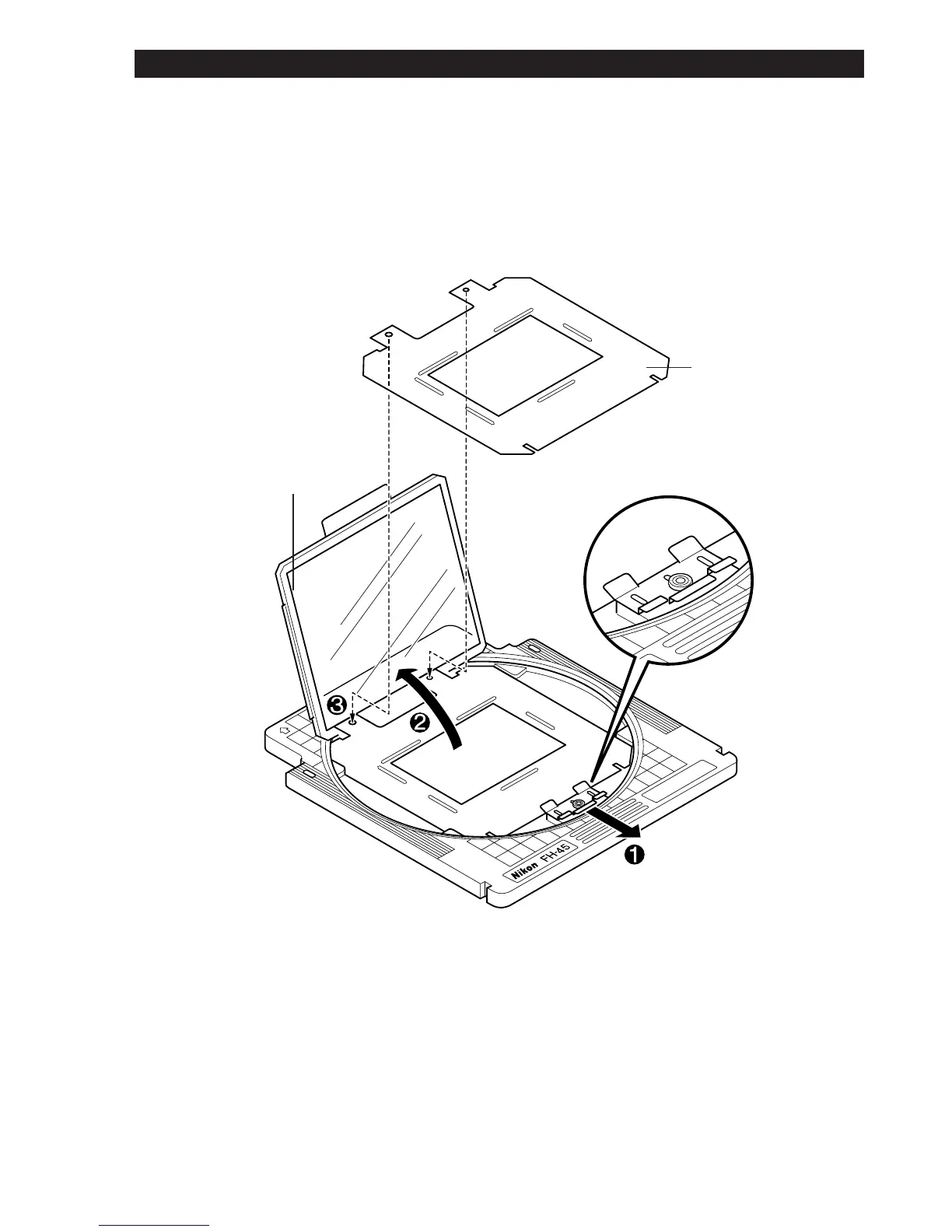
Step 1
Slide the sliding spring catch forward, and carefully raise the frame holding
the upper glass plate. The frame supports itself in the upright position.
Remove the film if scanning has been completed.
Upper Glass
Plate
Sliding Spring
Catch
Mask
Note: Confirm that the mask corresponds to the size of the film to be
scanned. Scanning may not be performed properly if there is any transpar-
ent area between the image on the film and the mask.
6. Using the Film Holder













 To Next Page