84 More on Photography
❚❚ Choosing the Focus Mode
Follow the steps below to choose the focus mode.
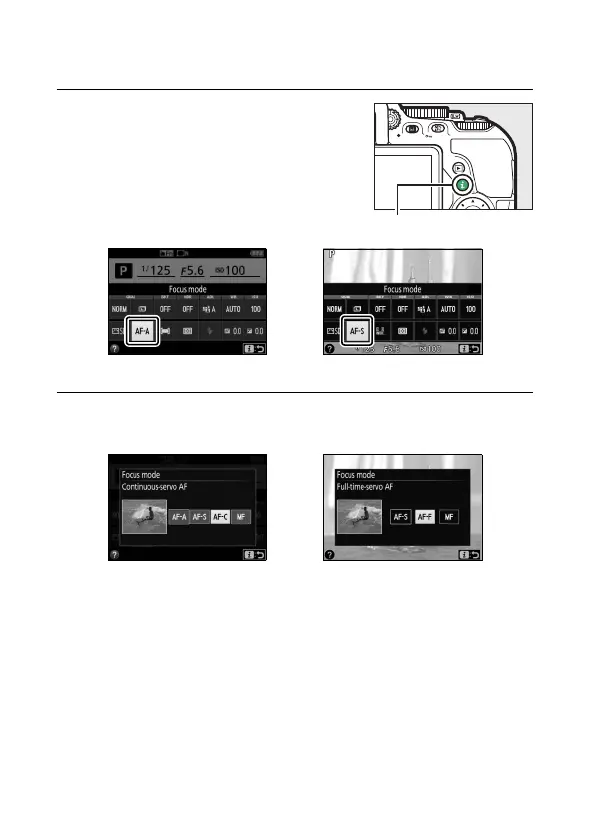
1 Display focus mode options.
Press the P button, then highlight the
current focus mode in the information
display and press J.
2 Choose a focus mode.
Highlight a focus mode and press J.
Viewfinder photography Live view
Viewfinder photography Live view





 To Next Page