6 Introduction
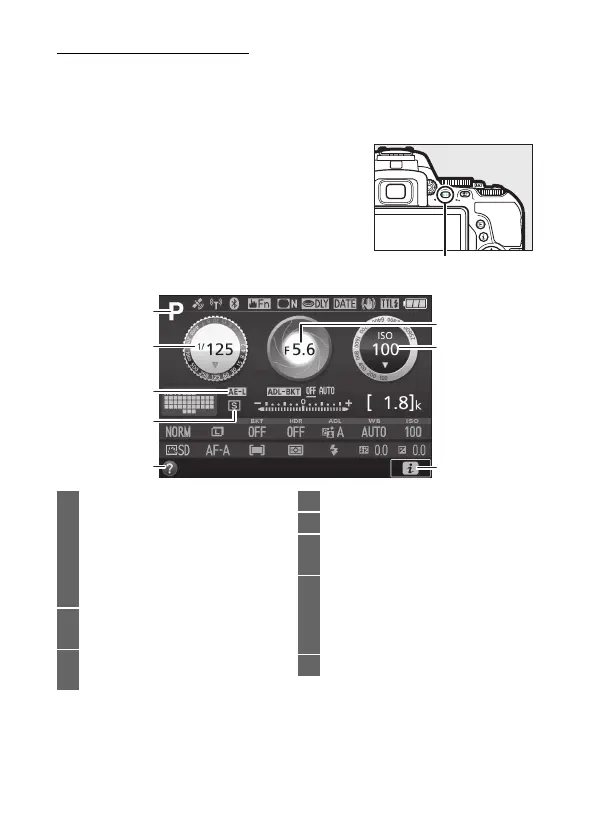
The R (Info) Button
Press the R button to view the information display or cycle
through display options.
❚❚ Viewfinder Photography
To view shutter speed, aperture, the
number of exposures remaining, AF-area
mode, and other shooting information in
the monitor, press the R button.
1 Shooting mode
i auto/
j auto (flash off).....................47
Scene modes ............................58
Special effects mode ..............65
P, S, A, and M modes............. 118
2 Shutter speed .............................. 118
Shutter-speed display ...... 121, 124
3 Autoexposure (AE) lock
indicator ...................................... 130
4 Release mode.................................75
5 Help icon ...................................... 349
6 Aperture (f-number).................. 118
Aperture display................ 122, 124
7 ISO sensitivity.............................. 107
ISO sensitivity display....... 107, 229
Auto ISO sensitivity
indicator ...................................... 229
8 z icon..............................................22











 To Next Page