100 More on Photography
Image Size
Image size is measured in pixels. Choose from # Large,
$ Medium, or % Small:
1 Display image size options.
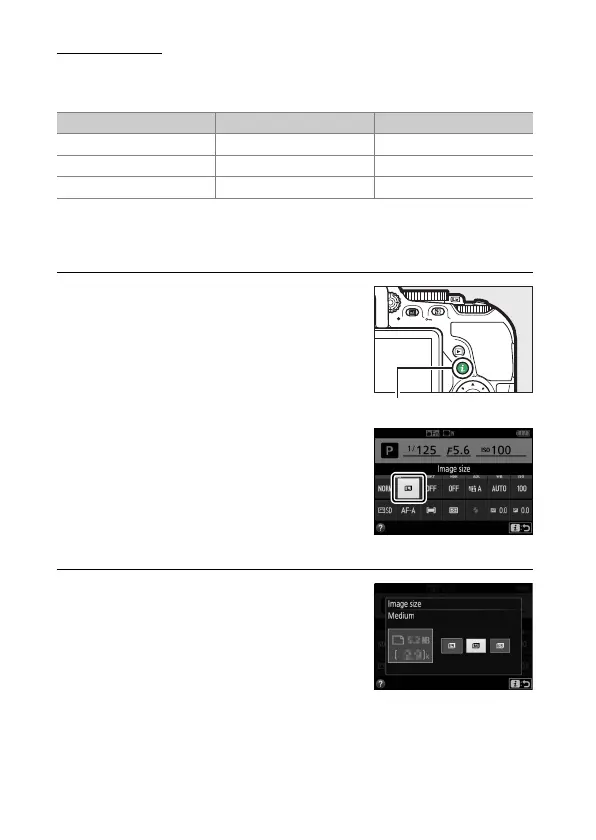
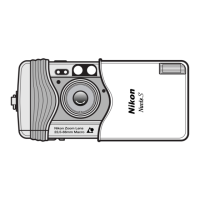
Press the P button, then highlight the
current image size in the information
display and press J.
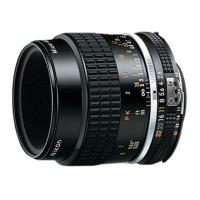
2 Choose an image size.
Highlight an option and press J.
Image size Size (pixels) Print size (cm/in.)
*
# Large 6000 × 4000 50.8 × 33.9/20 × 13.3
$ Medium 4496 × 3000 38.1 × 25.4/15.0 × 10
% Small 2992 × 2000 25.3 × 16.9/10 × 6.7
* Approximate size when printed at 300 dpi.
Print size in inches equals
image size in pixels divided by printer resolution in dots per inch (dpi;
1 inch=approximately 2.54 cm).
P button
Information display





 To Next Page