25Introduction
Using the Menus
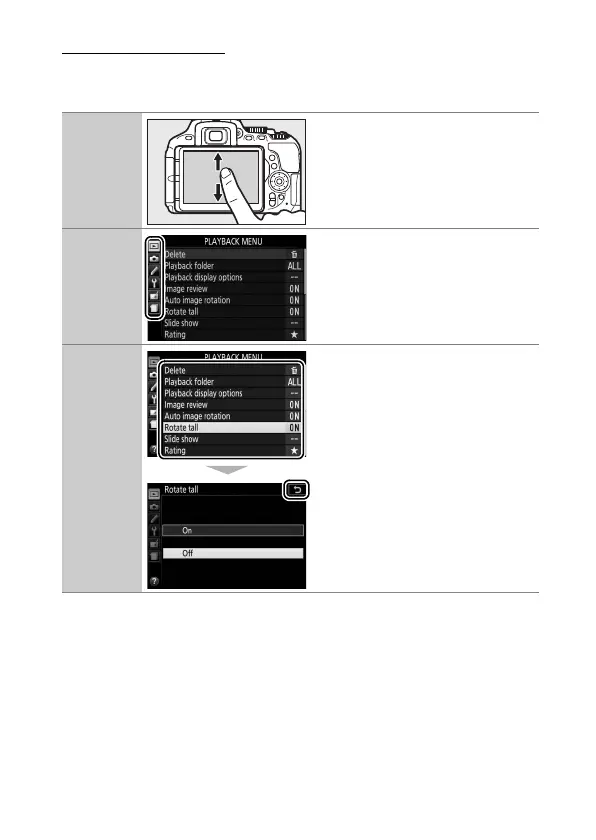
The touch screen can be used for the following menu
operations.
Scroll Slide up or down to scroll.
Choose a
menu
Tap a menu icon to choose a
menu.
Select
options/
adjust
settings
Tap menu items to display
options and tap icons or sliders
to change. To exit without
changing settings, tap 1.











 To Next Page