39First Steps
❚❚ Setup from the Camera Menus
The camera clock can be set manually.
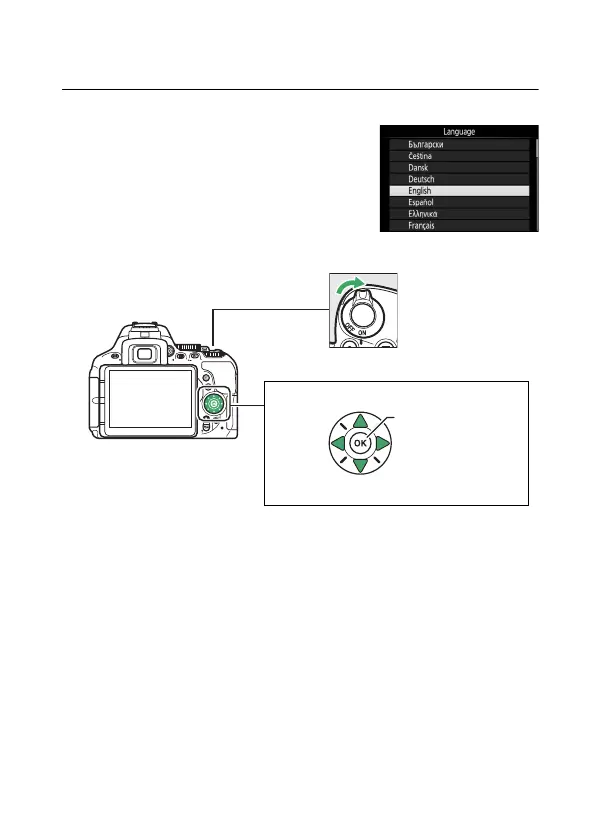
1 Turn the camera on.
A language-selection dialog will be
displayed.
Use the multi selector and J button to navigate the menus.
Press 1 and 3 to highlight a language and press J to select.
The language can be changed at any time using the
Language option in the setup menu.
1 Up
J button (select)
4 Left 2 Right
3 Down
Multi selector
Power switch











 To Next Page