DatelTime
(for
N60QD
only)
You can i
mpr
int the fo
ll
owing date information
on
your picture
(in
any
exposure mode): Year/Month/Day, Day/Hour/Minute, Month/Day/Year
or Day/Month/Year.
Imprinted
date
/t
ime
The illustration at right indicates the position of
the imprinted date/time. It may be difficult to
read against bright colors such
as
white
or
reddish hues.
NOTE
: Ba
tte
ry
requir
ements
for
imprint
i
ng
-
Imprinting of date/time requires one CR2025
3V
lithium battery separate from
the batteries required for the camera body. Battery life
is
approx. 3 years.
When the imprinting on the photo appears faded and/or the display of t
he
data
imprint
on
the LCD becomes faint or disappears, this indicates low battery
power. Replace the battery (making sure to set correct date/time after
changing battery, page
53)
.
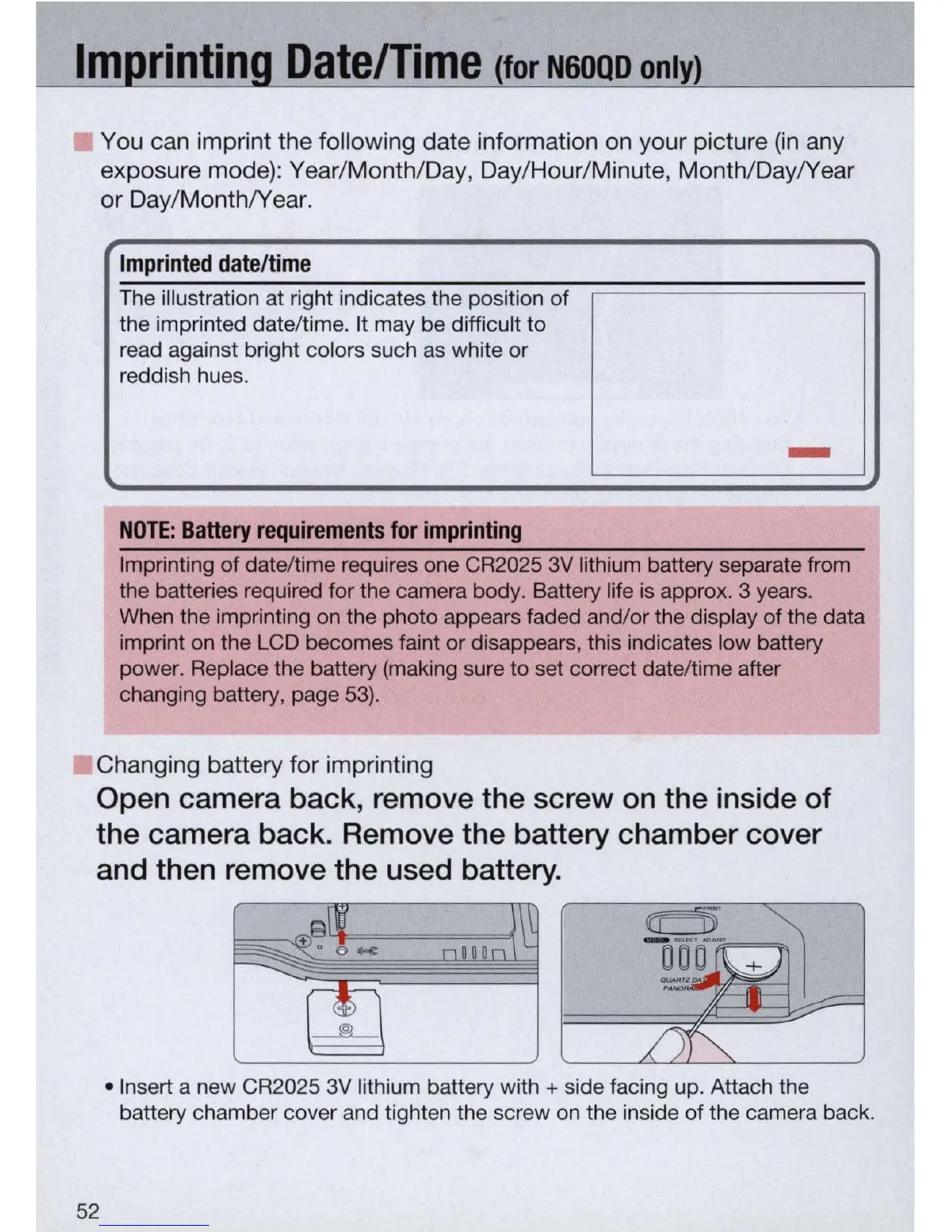
Changing battery for imprinting
Open camera back, remove the screw
on
the inside of
the camera back. Remove the battery chamber cover
and then remove the used battery.
52
• Insert a new CR2025 3V lithium battery with + side facing up. Attach the
battery chamber cover and tighten the screw
on
the inside of the camera back.



 To Next Page