EasyManua.ls Logo

Nikon PRONEA S - Page 28

Nikon PRONEA S
44 pages
Print Icon
To Next Page IconTo Next Page
To Previous Page IconTo Previous Page
Loading...
Z
Check
points
n
Diopter
adjustment (page
62) is
available
to
enable
you
to
see
through
the
viewfinder
more
clearly.
I
To take
a
picture
of an
off-center
subject,
use
focus
lock
(page
42).
n
Date/time
(page
53)
and
as many
as
30 kinds
of
messages
in
up
to 12
languages (page
56)
can
be
imprinted
on
your
photos
(pages
54,57).
z
o
E
tr
llJ
o-
o
o
@
o
0,2
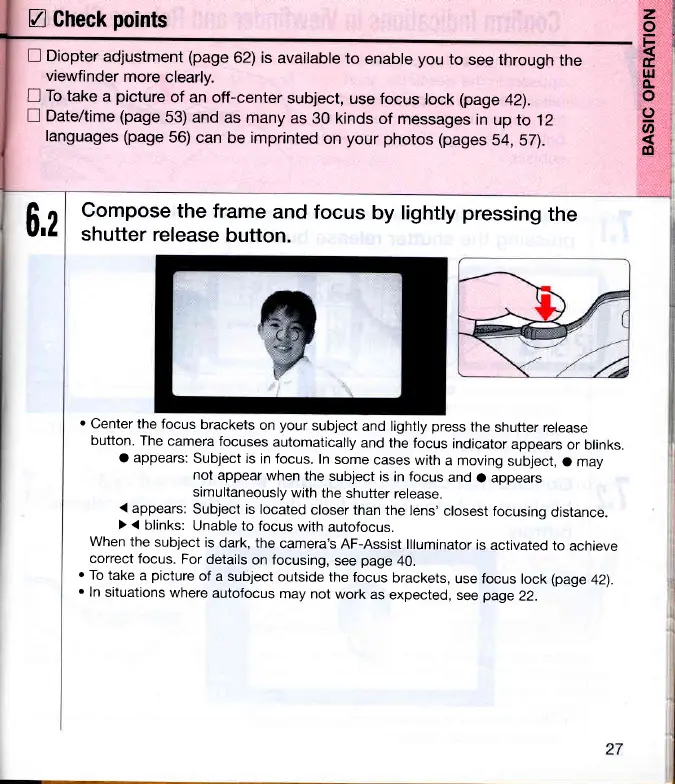
Compose
the frame
and focus
by lighily
pressing
the
shutter
release
button.
.
center
the focus
brackets
on
your
subject
and lighfly
press
the
shutter release
button.
The
camera
focuses
automatically
and the
focus
indicator
appears
or
blinks.
o appears:
subject is
in focus.
In
some
cases
with
a moving
subject,
o may
not
appear
when
the
subject
is in focus
and
O appears
simultaneously
with
the
shutter
release.
'(
appears:
Subject
is located
closer than
the
lens'
closest
focusing
distance.
) {
blinks:
Unable to
focus
with
autofocus.
When
the
subject
is
dark, the
camera's
AF-Assist
llluminator
is
activated
to
achieve
correct
focus.
For
details
on focusing,
see
page
40.
o
To
take
a
picture
of
a subject
outside
the
focus
brackets,
use focus
lock
(page
42).
.
In
situations
where
autofocus
may not
work
as
expected,
see
page
22.

Related product manuals