INSTALLING
BATTERIES
IN
CONTROLLER--------
+<D
e
'YI~
ED
e
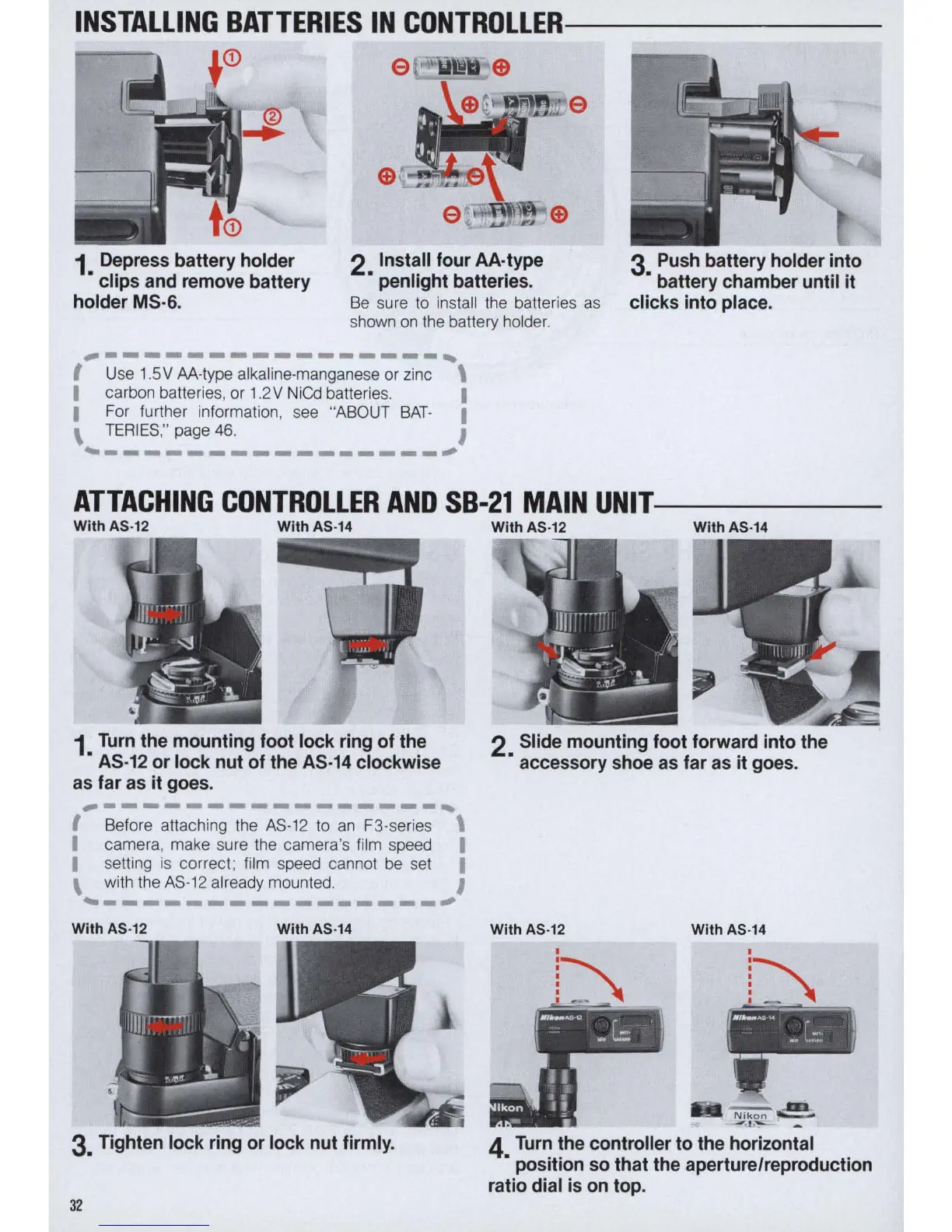
1 Depress battery holder
• clips and remove battery
holder MS·6.
2 Install four AA·type
• penlight batteries.
3 Push battery holder into
• battery chamber until
it
clicks into place.
Be
sure
to
install the batteries
as
shown
on
the battery holder.
~----------------,
I Use 1.5V AA-type alkaline-manganese or zinc \
I carbon batteries, or 1
.2
V NiCd batteries. I
I
For further information, see "ABOUT
BAT
- I
\
TER
I
ES
,"
page
46.
I
~----------------;
ATTACHING
CONTROLLER
AND
SB-21
MAIN
UNIT-----
With AS·12
With AS·
14
1
Turn
the mounting foot lock ring of the
•
AS·12
or lock nut
of
the
AS·14
clockwise
as far as
it
goes.
~----------------,
I Before attaching the AS·12 to
an
F3·series \
I camera, make sure the camera's film speed I
I
setting
is
correct; film speed cannot
be
set I
\ with the AS·12 already mounted. I
~----------------~
With AS·
12
With AS·14
3. Tighten lock ring or lock nut firmly.
32
With AS·12
With
AS
·
14
2 Slide mounting foot forward into the
• accessory shoe as far as
it
goes .
With
AS
·
12
With
AS
·
14
4
Turn
the controller to the horizontal
• position so that the aperture/reproduction
ratio dial is
on
top.



 To Next Page