EasyManua.ls Logo

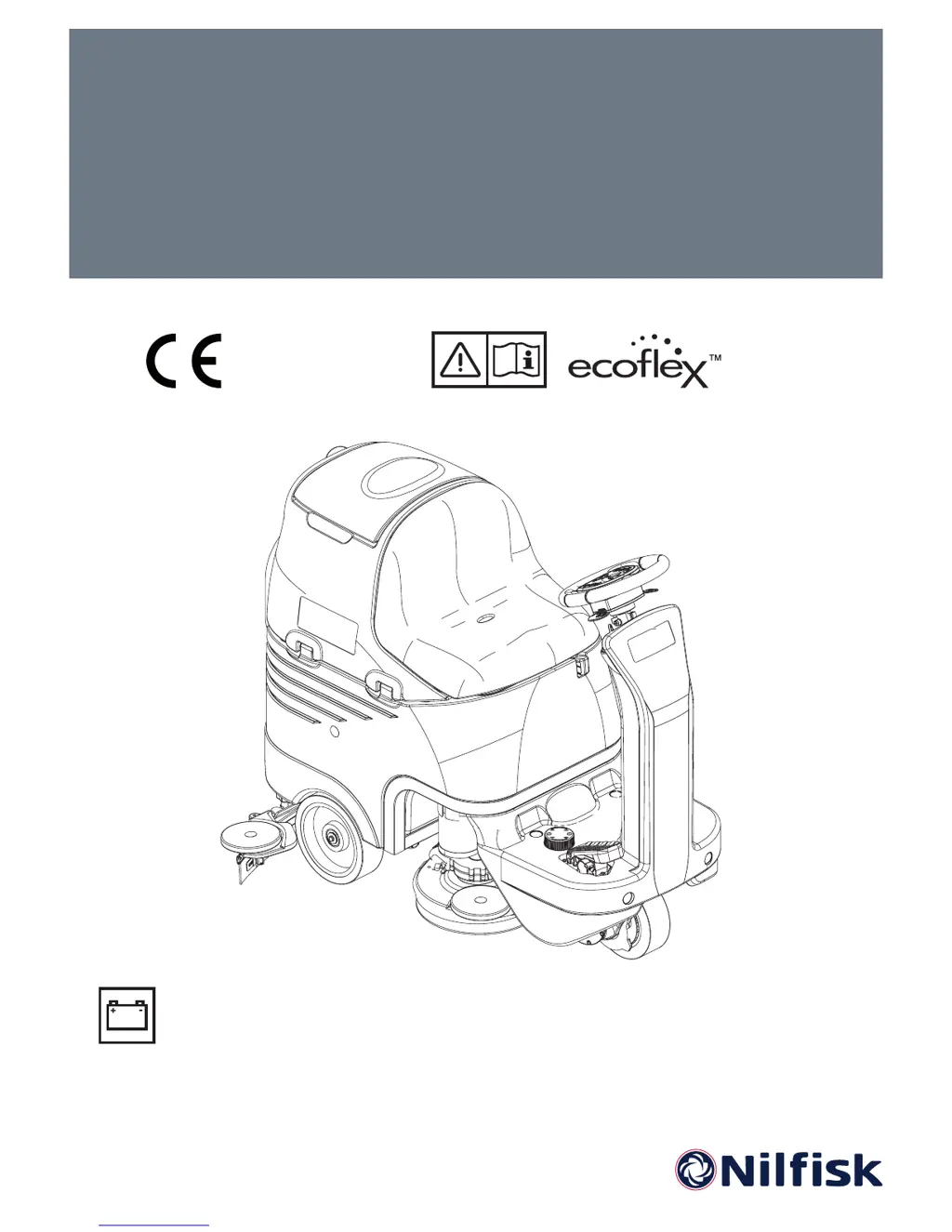
Nilfisk-Advance BR 752 - User Manual

Nilfisk-Advance BR 752
123 pages
Go to English
Print Icon
To Next Page IconTo Next Page
Loading...
BR 652 / 752 / 752C
Instructions for use
Model:
9087260020 - 9087261020 - 9087262020
9087263020 - 9087264020 - 9087265020
05/2010 Revised 04/2016
(3)
9098684000
Deutsch
Français
English
Nederlands
Bedienungshandbuch
Instructions d’utilisation
Instructions for use
Gebruiksaanwijzing

Table of Contents

Other manuals for Nilfisk-Advance BR 752

Questions and Answers

  • M
    Michael FisherAug 16, 2025
    What to do if my Nilfisk-Advance BR 752 doesn't move and shows an error code?
    • S
      stephanie64Aug 16, 2025
      If your Nilfisk-Advance Scrubber does not move and the display shows an error code, it might be because the machine was turned on while keeping the drive pedal pressed. Release the drive pedal. If the problem continues, contact an authorised Service Center.
  • M
    Melissa AtkinsAug 19, 2025
    What does it mean if my Nilfisk-Advance BR 752 Scrubber displays an error code different from 't4'?
    • L
      Lee MooreAug 19, 2025
      If the display of your Nilfisk-Advance Scrubber shows an error code, and the code is different from “t4”, it indicates that the machine's electronic control system is in an alarm condition. Turn off the machine and then turn it on again. If the problem persists, contact an authorised Service Center.
  • M
    Melissa KingAug 22, 2025
    Why is the dirty water vacuuming insufficient on my Nilfisk-Advance BR 752?
    • W
      Wendy WintersAug 22, 2025
      If the dirty water vacuuming of your Nilfisk-Advance Scrubber is insufficient, several factors could be at play. The recovery tank might be full, so try emptying it. The vacuum grid could be clogged, or the float might be closing, in which case you should clean the vacuum grid. Check if the container with the debris collection grid is clogged and clean it if necessary. Also, ensure the hose is properly connected to the squeegee. The squeegee itself might be dirty, or the blades could be worn or damaged, requiring cleaning or replacement. Finally, verify that the tank cover is correctly closed and the gasket is in good condition; if not, close it properly or clean/replace the gasket.
  • D
    Dr. Amanda Mata DVMAug 25, 2025
    What to do if the 3 warning lights flash simultaneously on my Nilfisk-Advance BR 752 Scrubber?
    • O
      ofoxAug 26, 2025
      If the 3 warning lights on your Nilfisk-Advance Scrubber flash simultaneously, it indicates that the brush motors are overloaded. To resolve this, try using less aggressive brushes and avoid working with extra pressure turned on. Another possible cause is foreign materials, such as tangled threads, preventing the brushes from rotating. In this case, you should clean the brush hubs.
  • M
    Molly CollinsAug 28, 2025
    Why does the squeegee leave marks on the floor when using my Nilfisk-Advance BR 752 Scrubber?
    • E
      Edward RyanAug 28, 2025
      If the squeegee on your Nilfisk-Advance Scrubber leaves marks on the floor, it could be due to several reasons. Check for any debris under the squeegee blades and remove it. If the squeegee blades are worn, chipped, or torn, overturn or replace them. Also, ensure that the squeegee is properly balanced with the handwheel and adjust if necessary.
  • R
    Rickey BrownAug 31, 2025
    What to do if the brushes don't work and the red warning light flashes on my Nilfisk-Advance Scrubber?
    • L
      leslie12Aug 31, 2025
      If the brushes on your Nilfisk-Advance Scrubber do not work and the red warning light flashes, it's likely that the batteries are discharged. To fix this, charge the batteries.
  • A
    Alexis SchneiderSep 3, 2025
    Why don't the motors work and no warning light turns on in my Nilfisk-Advance Scrubber?
    • E
      Eric FreemanSep 3, 2025
      If the motors of your Nilfisk-Advance Scrubber do not work and no warning light turns on, it could be due to a disconnected battery connector. Try connecting it. Alternatively, the batteries might be discharged, so you should charge them.
  • A
    Andrea BallardSep 6, 2025
    Why is the solution flow insufficient in my Nilfisk-Advance BR 752 Scrubber?
    • C
      Caleb CarterSep 6, 2025
      If the solution flow is insufficient in your Nilfisk-Advance Scrubber, it could be due to several reasons. The solution tank might be empty, so try filling it. Alternatively, the solution filter could be dirty, requiring you to clean it. If your machine has the optional EcoFlex™ system, the tank might be dirty or encrusted, in which case you should drain it.
  • F
    Franklin MonroeSep 9, 2025
    Why does the LED flash and the brushes not work at start-up of my Nilfisk-Advance BR 752?
    • H
      hailey46Sep 9, 2025
      If, at the start-up of your Nilfisk-Advance Scrubber, the LED of the switch flashes and the brushes do not work, it's possible that the machine was turned off without lifting the brush deck. Wait for the deck to lift before turning on the brushes again by pressing the switch.
  • N
    nicole18Sep 12, 2025
    Why is my Nilfisk-Advance Scrubber not working?
    • M
      moodyrebeccaSep 12, 2025
      If your Nilfisk-Advance Scrubber isn't working, it could be due to several reasons: * The batteries might be discharged or have poor connections; in this case, charge the batteries or clean the connections. * The batteries themselves could be faulty; check the battery no-load voltage. * A broken battery charger could also be the culprit; consider replacing it. * Blown fuses (F0, F2, F3) can prevent the machine from starting; replace them if necessary. * Damage to the wiring harness, such as cuts, pinches, or short circuits, can also cause the issue; repair the harness. * Lastly, the ignition key (K1) might be defective; try replacing it.

Summary

Introduction

Safety

Safety Symbols

Explains symbols like DANGER, WARNING, CAUTION, NOTE, and CONSULTATION.

General Safety Instructions

Provides specific warnings and cautions for safe operation, maintenance, and handling.

Machine Description

User Interface

Use

Before Start-Up

Provides crucial pre-operation checks, including foreign material removal from the deck.

Machine Start and Stop

Starting the Machine

Step-by-step guide on turning on the machine, checking battery status, and engaging controls.

Stopping the Machine

Outlines the procedure for safely stopping the machine, including releasing the pedal and lifting the deck.

Machine Operation (Scrubbing;Drying)

Operation Procedure

Details adjusting solution flow, using mute function, and driving near walls for effective cleaning.

Tank Emptying

Describes the automatic float shut-off and procedures for emptying the recovery tank.

Recovery Tank Emptying

Step-by-step instructions for emptying the recovery tank and cleaning debris containers.

Solution;Clean Water Tank Emptying

Details the process for draining the solution/clean water tank using an adapter.

Maintenance

Scheduled Maintenance Table

Presents a table outlining daily, weekly, six-monthly, and yearly maintenance tasks.

Squeegee Cleaning

Provides steps for cleaning the squeegee and its blades for optimal drying performance.

Squeegee Blade Check and Replacement

Details how to check, adjust, and replace squeegee blades for proper function.

Brush;Cylindrical Brush Cleaning

Guides on cleaning brushes and checking bristles for wear, with safety precautions.

Recovery Tank Cleaning

Outlines the procedure for cleaning the recovery tank, vacuum grid, and float assembly.

Battery Charging

Charging Procedures

Details preliminary steps and procedures for charging batteries using external or onboard chargers.

Safety Functions

Emergency Push-Button

Describes the location and function of the emergency stop button.

Anti-Skid Safety System

Explains how the system enhances stability by reducing speed during turns or lateral tilt.

Troubleshooting

Common Issues and Remedies

Lists common problems, their possible causes, and recommended solutions for the machine.

Nilfisk-Advance BR 752 Specifications

General IconGeneral
ModelBR 752
Solution Tank Capacity114 L (30 gal)
Recovery Tank Capacity114 L (30 gal)
Brush Speed250 rpm
Power SourceBattery
Cleaning Width750 mm
Working width750 mm

Related product manuals