18 / 20
Motor Noise Troubleshooting
Issue: Sometimes when riding Ninebot ONE some noise can be heard coming from the right side of
the unit. In this case, usually the motor is rubbing slightly against the casing, resulting in abnormal
noise. Follow the procedure below to address this issue.
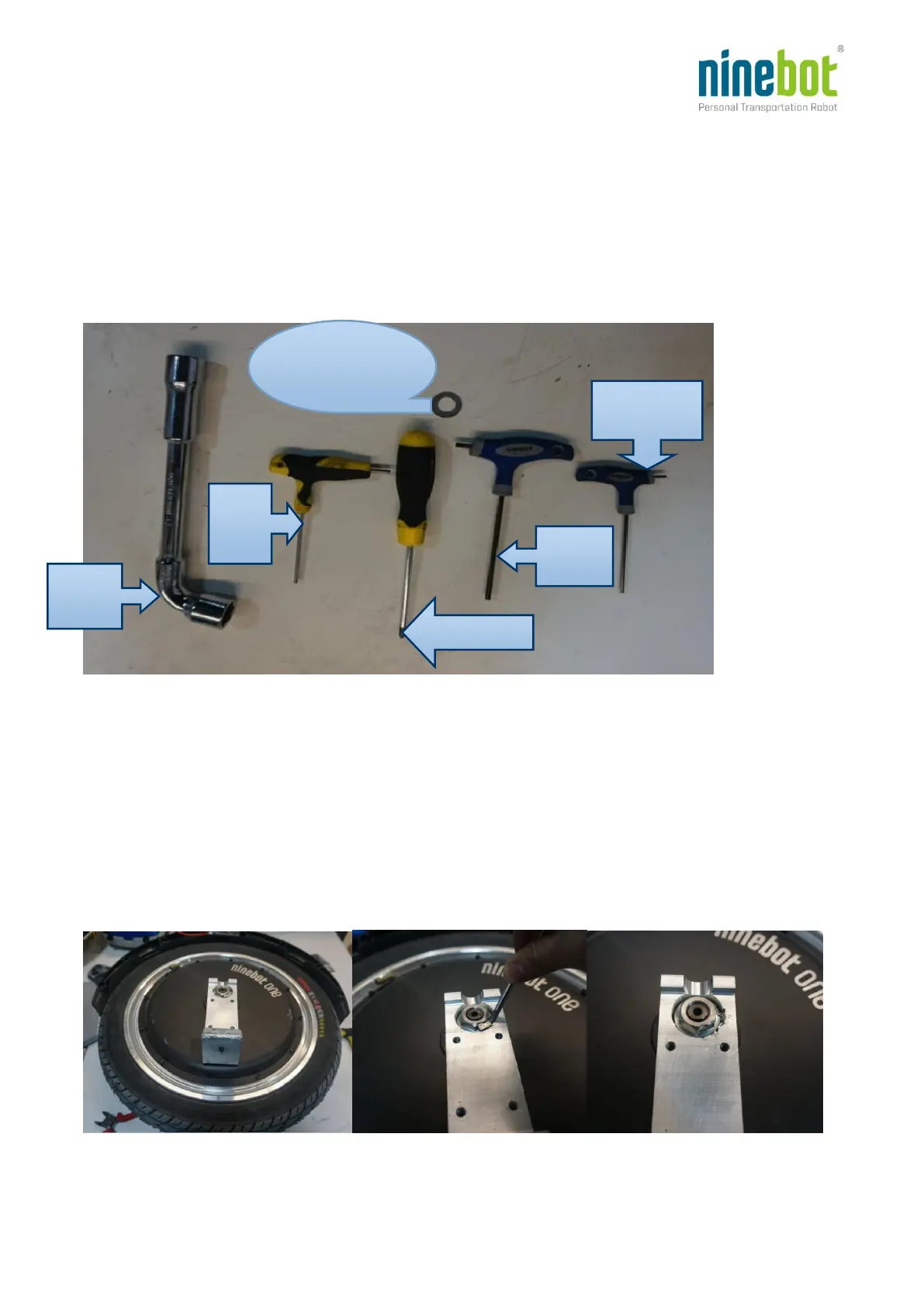
1. Tools needed:
2. Remove the following from the right side of the Ninebot ONE:
LED Shell (see LED Shell Removal)
Decorative Shell (see Motor Replacement)
Battery (see Battery Removal)
Foot pedal (see Motor Replacement)
Ankle pad (see Motor Replacement)
Casing (see Motor Replacement)
3. Remove the two foot pedal pins as shown below (use a hook or thin chisel to pull out the pins):




 To Next Page