Set Up (Time/Date)
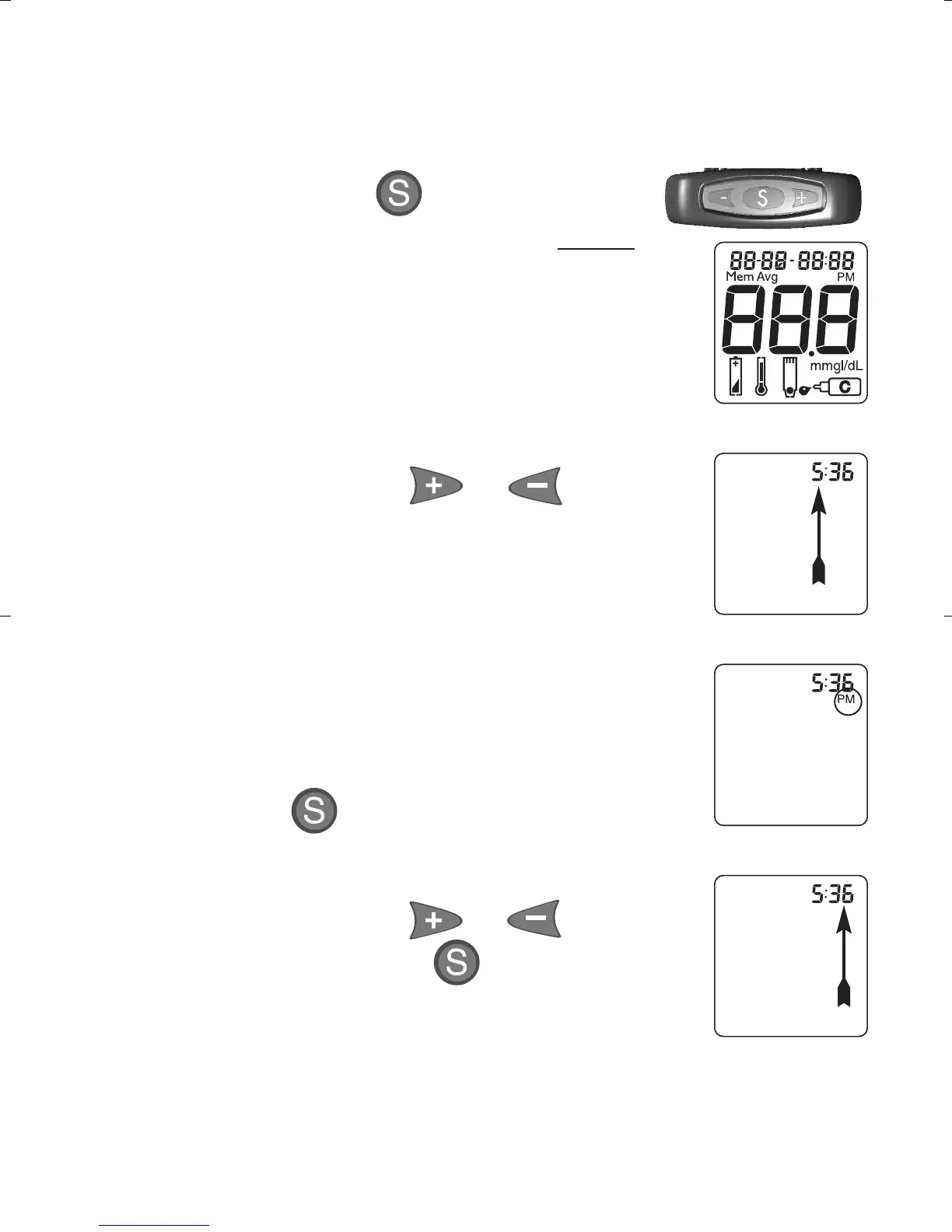
1. Start with Meter off. Do not insert Test Strip.
Press and hold . Date/Time
appears in display. Release after
full Display appears and Meter
beeps.
Set Time
2. The hour flashes.
To change, press or on top
of Meter to select the hour. Like
many alarm clocks, to set “PM”,
scroll through hours until "PM"
appears in Display.
Note: "PM" does not display if Meter
is factory set to 24-hour clock.
Press to set.
3. The minutes flash.
To change, press or to select
the minutes. Press to set.
24
Full Display
Hour
PM
Minutes
TB_OB_GutsENG_H4IAU03.qxd:TT_OB_GutsENG.qxd 10/13/10 12:33 PM Page 24



 To Next Page