Know Your System
Meter
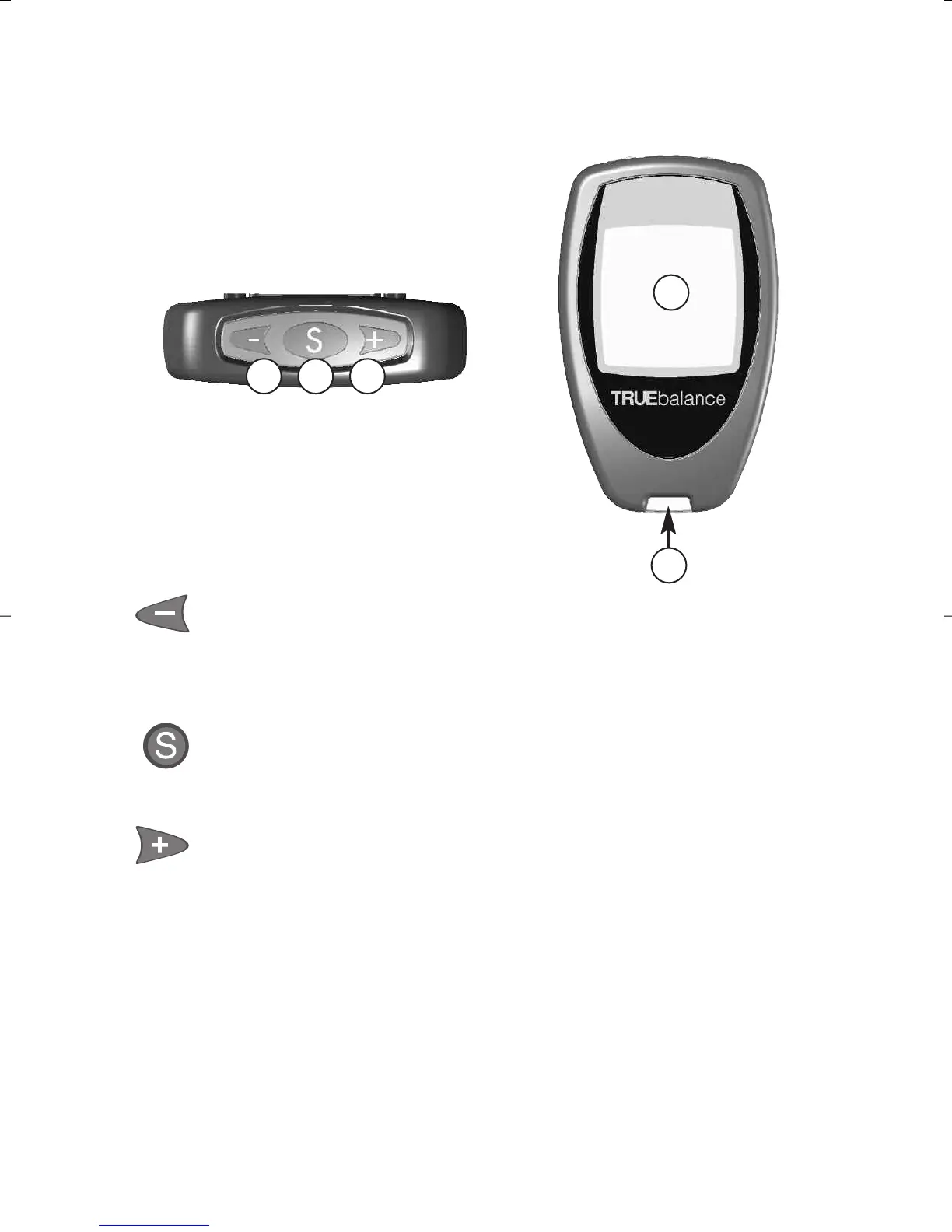
➀ Button - Decrease numbers in Set Up;
remove Control Symbol; move backward by
time/date when viewing results in Memory.
➁ Button - Select settings; view Morning
Average values; view results in Memory.
➂ Button - Increase numbers in Set Up; add
Control Symbol; move forward by time/date
when viewing results in Memory.
➃ Display - Shows test results, messages, user
prompts, and other information.
➄ Test Port - Insert TRUEbalance Test Strip here.
7
Top of Meter
1 32
5
4
Front of Meter
TB_OB_GutsENG_H4IAU03.qxd:TT_OB_GutsENG.qxd 10/13/10 12:32 PM Page 7



 To Next Page