26
Fixed Option
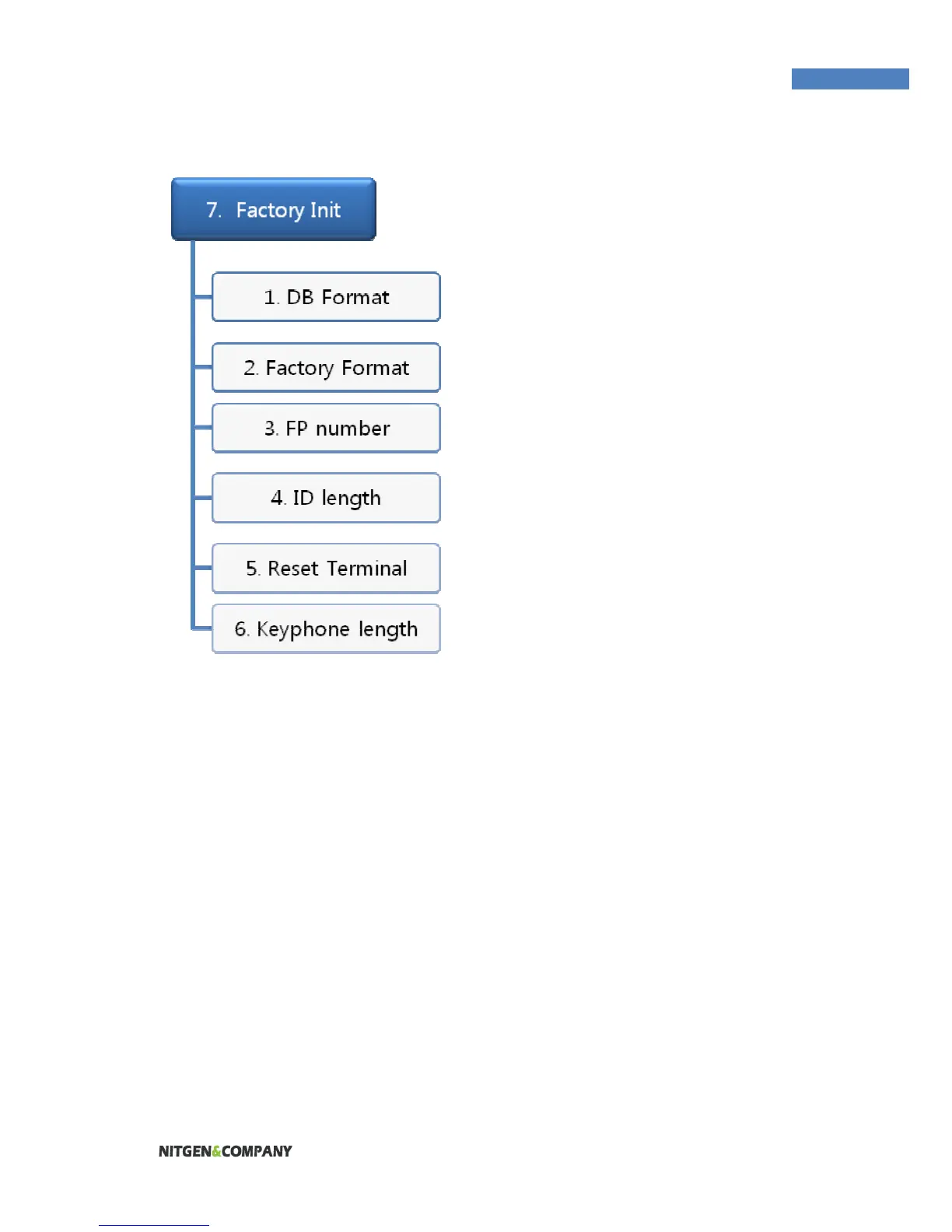
(FP number, ID length)
In the menu, the number of
fingerprint scans to be input during
fingerprint registration and the ID
length can be configured. These
settings cannot be changed for
existing registered users. To
change these settings, the
administrator must delete all users
registered at the terminal.
To change the number of
fingerprint scans required for user
fingerprint registration, select
“Template Count” and input the
number. The default is 2. The administrator can choose 1 or 2.
Reset Terminal
Terminals can be reset without disassembly. Please choose 『yes』
in the confirmation screen to reset the terminal.
Keyphone Length
Before using keyphone, you can set the phone number’s length. The
range is 1~11.


 To Next Page