6
Product Description
.
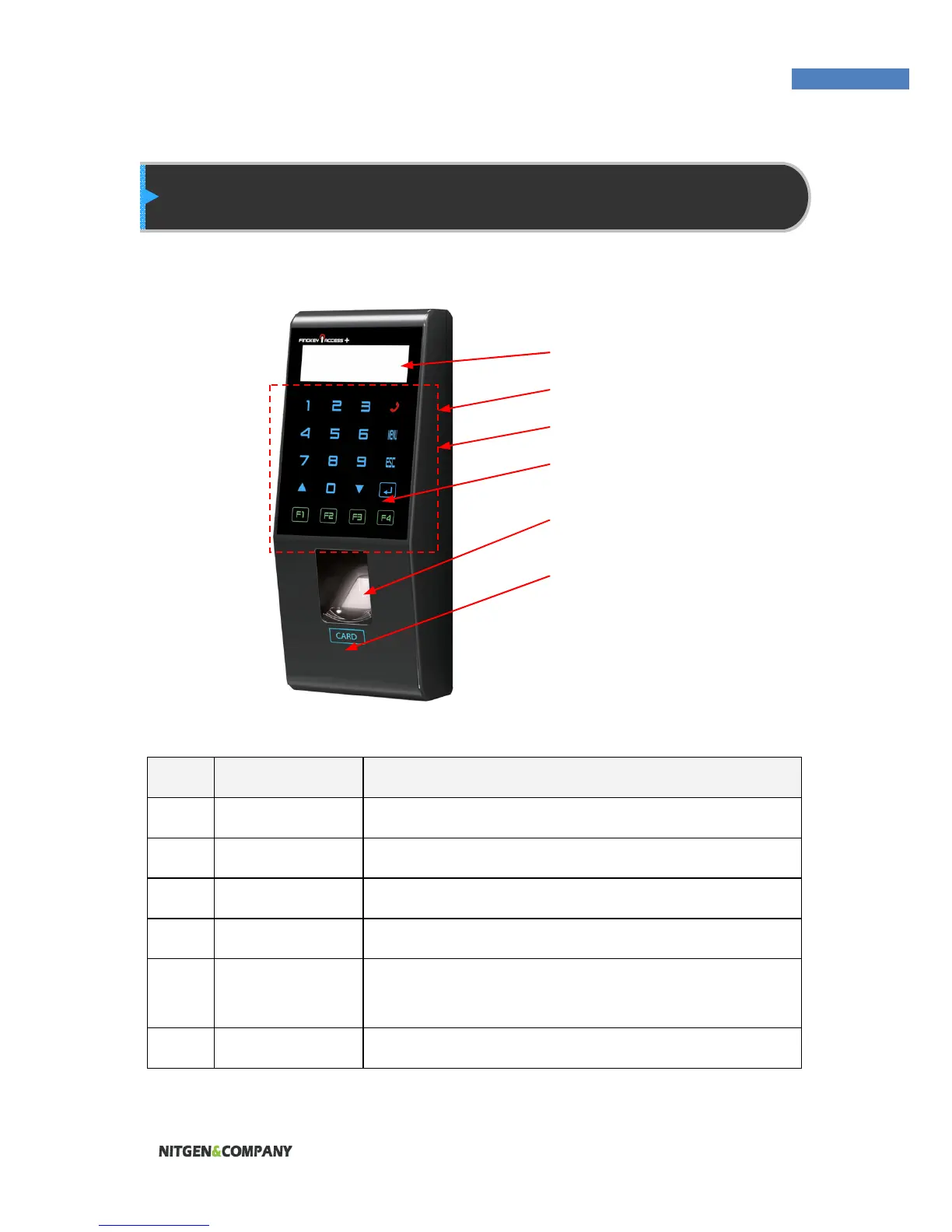
No. Name Description
1 LCD Displays information to the user.
2 Reset Button Used to reset the device.
3 USB Data can be uploaded via USB memory stick.
4 Touch Panel Information input via touch sensitive panel.
5 Fingerprint
Input
The user places his/her finger for authentication.
6 Card Input The user places his/her card for authentication.
(1) LCD
(2) Reset Button
(3) USB
(4) Touch Button
(5) Fingerprint Input
(6) Card Input


 To Next Page