21
System Setting
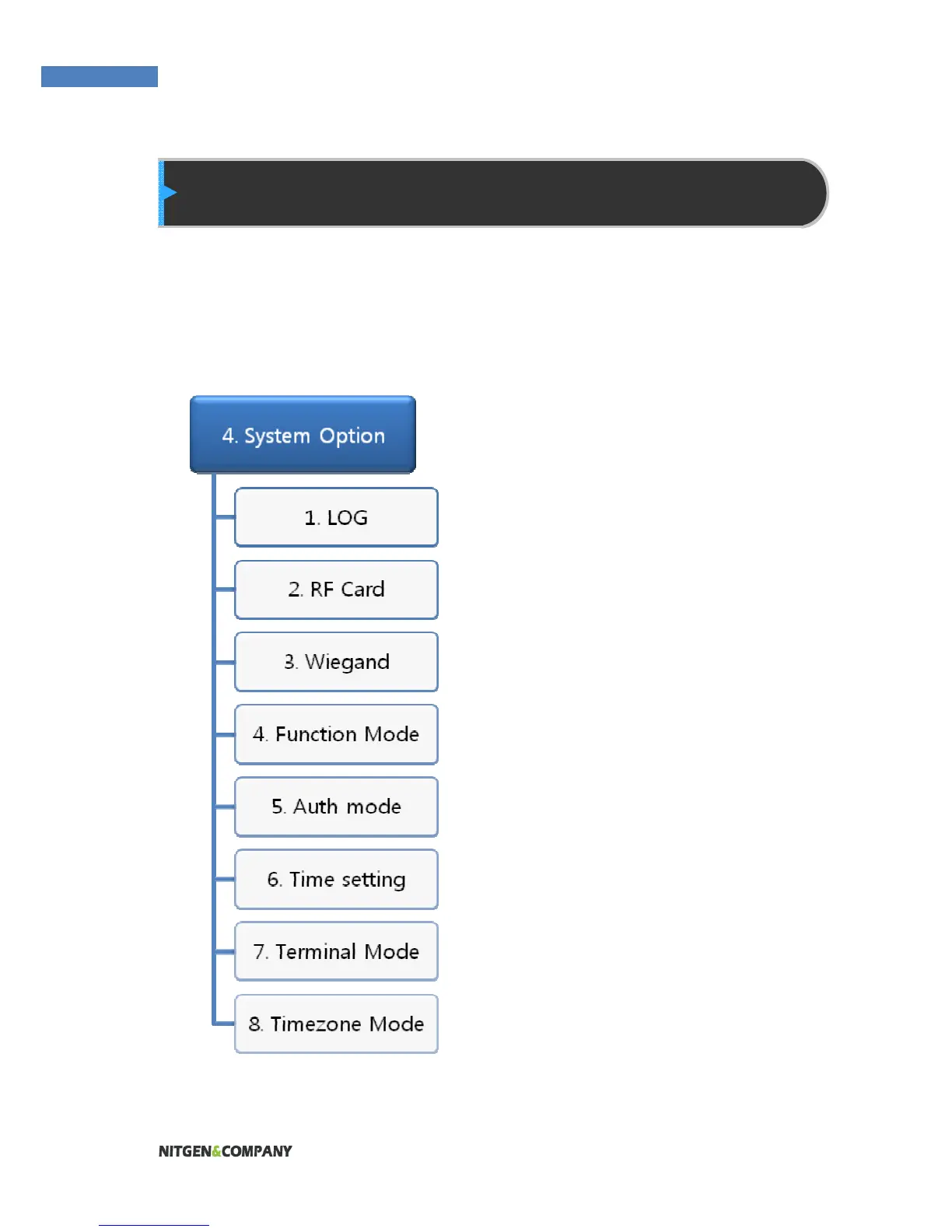
Settings related to the system such as log storing, RF card, Wiegand,
Function key, time, terminal mode and timezone.
Saving Logs
The administrator can save logs
that arise during user
authentication. To save logs,
select “Save Logs” and change
“No” to “Yes.”
The logs can be checked by
selecting “Info” Æ “Log”, or by
using the “AccessManager
Professional” program.
RF Card
To use card authentication to
authenticate users, do the
following. Select the card type –
MIFARE, HID, EM, iCLASS,
CEPAS.
Please note: If you select CEPAS,
access also works for Felica
cards.


 To Next Page