32
Authentication in Attendance Mode
In attendance mode, all users must press the functions keys in order
to be authenticated. All logs are transmitted to the server. If the users
do not press the function keys selecting the attendance type
(“Coming to work”, “Leaving work”, “Going out”, and “Returning”) they
may not be recorded. The user must select the appropriate function
key in order to be authenticated.
Using Attendance Mode
General/Simple
In attendance mode, function keys
are displayed on the lower-right of
the initial screen.
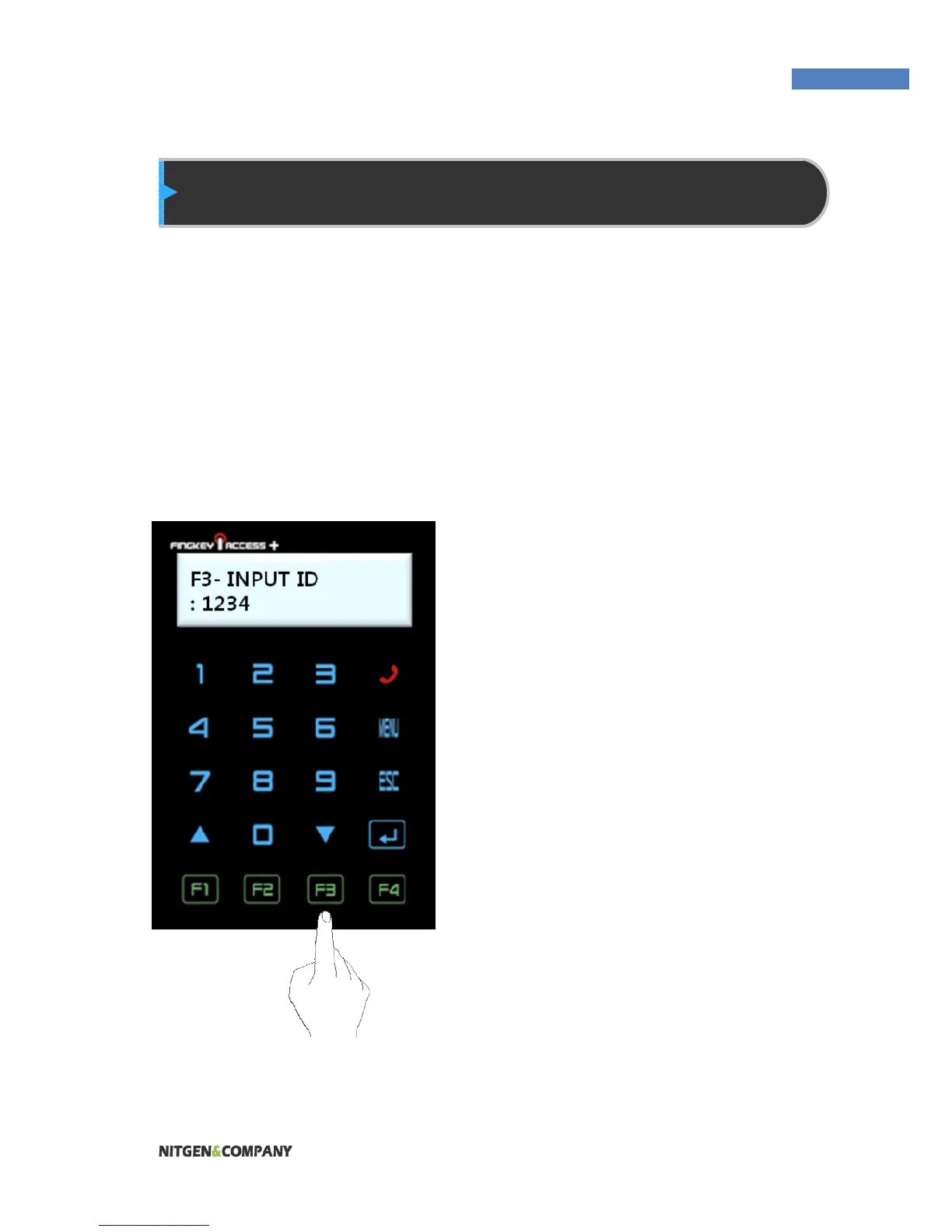
1. In Simple or General
Attendance mode, the user
must press a function key and
input his ID to be authenticated.
Function keys are as follows:
F1: Coming to work
F2: Leaving work
F3: Going out
F4: Returning
2. After the user selects a function
key, the key will be included in
the server log data which will be
used by the attendance
management program.


 To Next Page