“ KeySettings” that pops out;
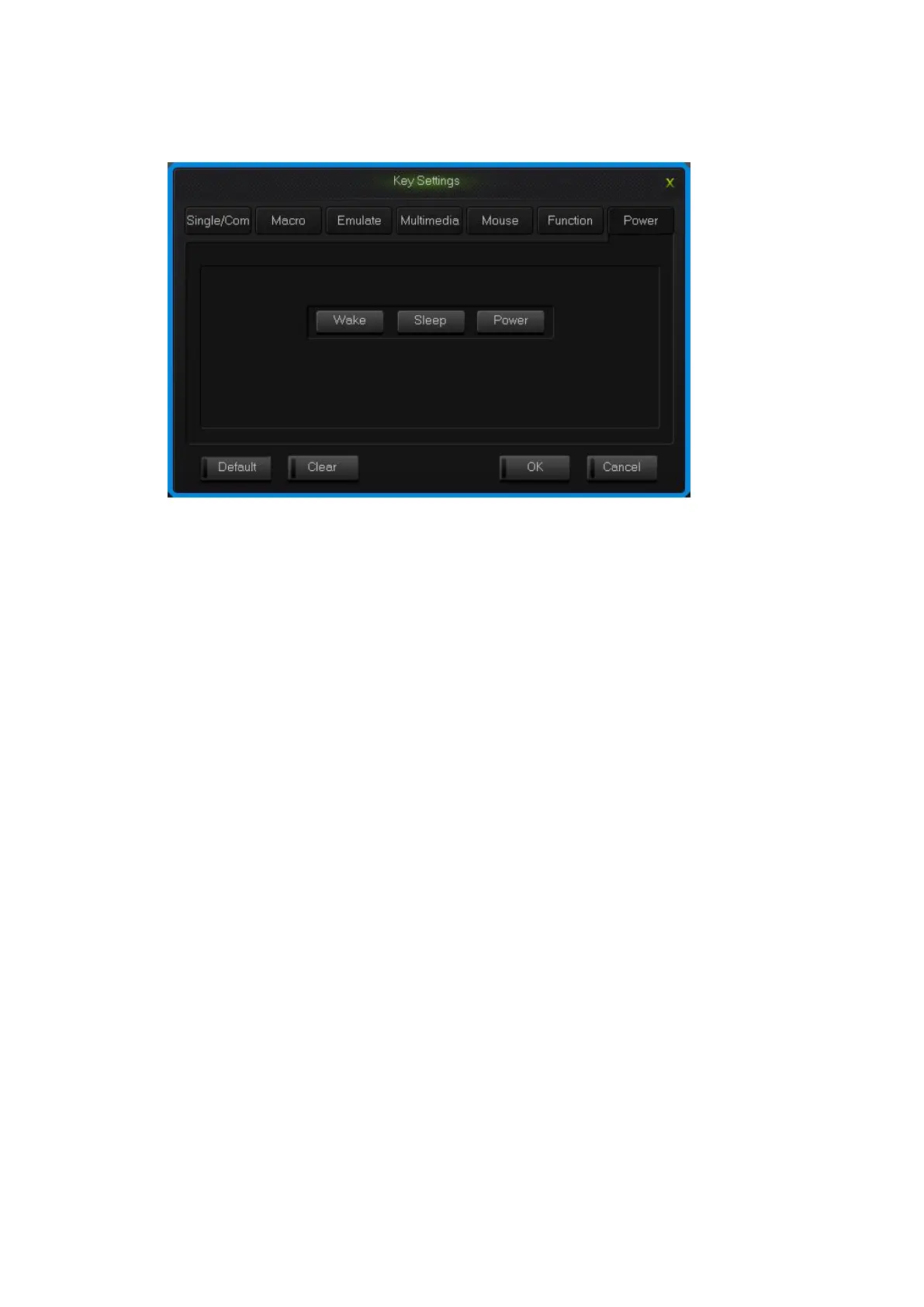
2.Choose custom functions in the power panel, the click “OK”.
Power interface
2.8 Empty configuration
There are two circumstances for empty configuration, one is empty single key
configuration, the other is empty all the configure keys.
To empty single key configuration, just single click the key and choose “Clear” in
the set window.
To empty all the configuration, single click “Clear” in function bar on the main
screen.
How to save and open configuration
Every configuration document corresponds to a kind of key stroke mode, so it will
be more convenient for the users to configure the common programs of the keyboard.
Configuration information include keys set up information and backlight set up
information.
You can save those configurations that don’t need in a short time on your PC and
direct import next time when needed. This can avoid set up repeated.
You can still import the documents saved in PC when using another computer,
The specific ways are below:


 To Next Page