Open the configuration
1.Single click “open” at the function bar in main screen, choose the catalog and the
corresponding configuration in the dialog box of open configuration that pops out.
2.Single click “Open”.
Save configuration
1. Single click “Save” at the function bar in main screen, choose the catalog and
type in the name of configuration in the dialog box of save configuration that pops
out.
2.Single click “Save”.
How to Get key usage times
Single click “Get Counter” at the function bar in main screen, after reading the
completion, the mouse to move to the corresponding button position, the information
box can see the number of times the button is hit.
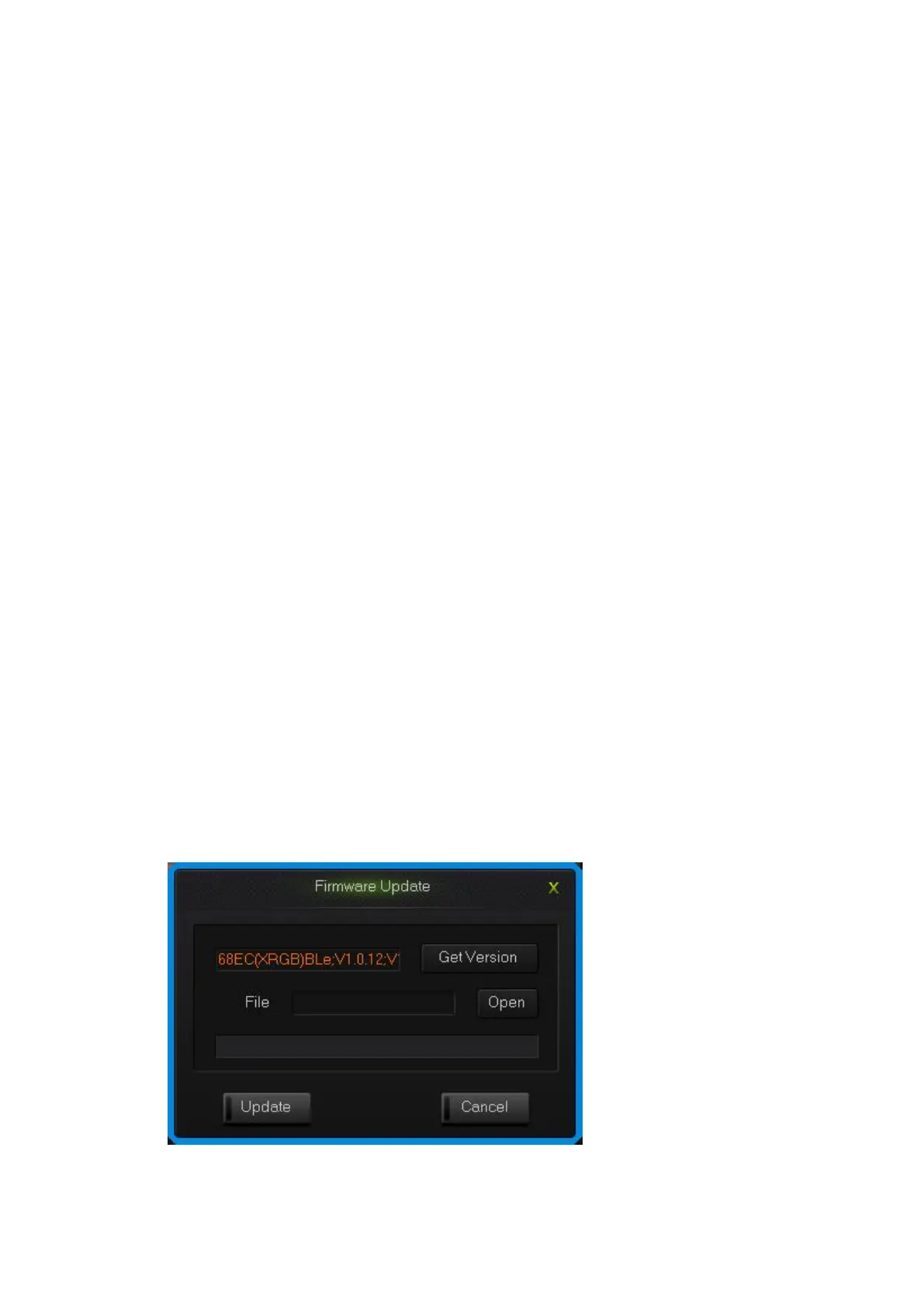
How to upgrade keyboard firmware
Upgrade keyboard firmware in order to improve the performance of the keyboard and
the function that design for users experience.
1.Single click “Get Version” and can get firmware‘s name and version.
2.Single click “Open”, choose .bin document and single click “Update”, then
update the firmware of the keyboard with the tips.
upgrade keyboard firmware interface


 To Previous Page