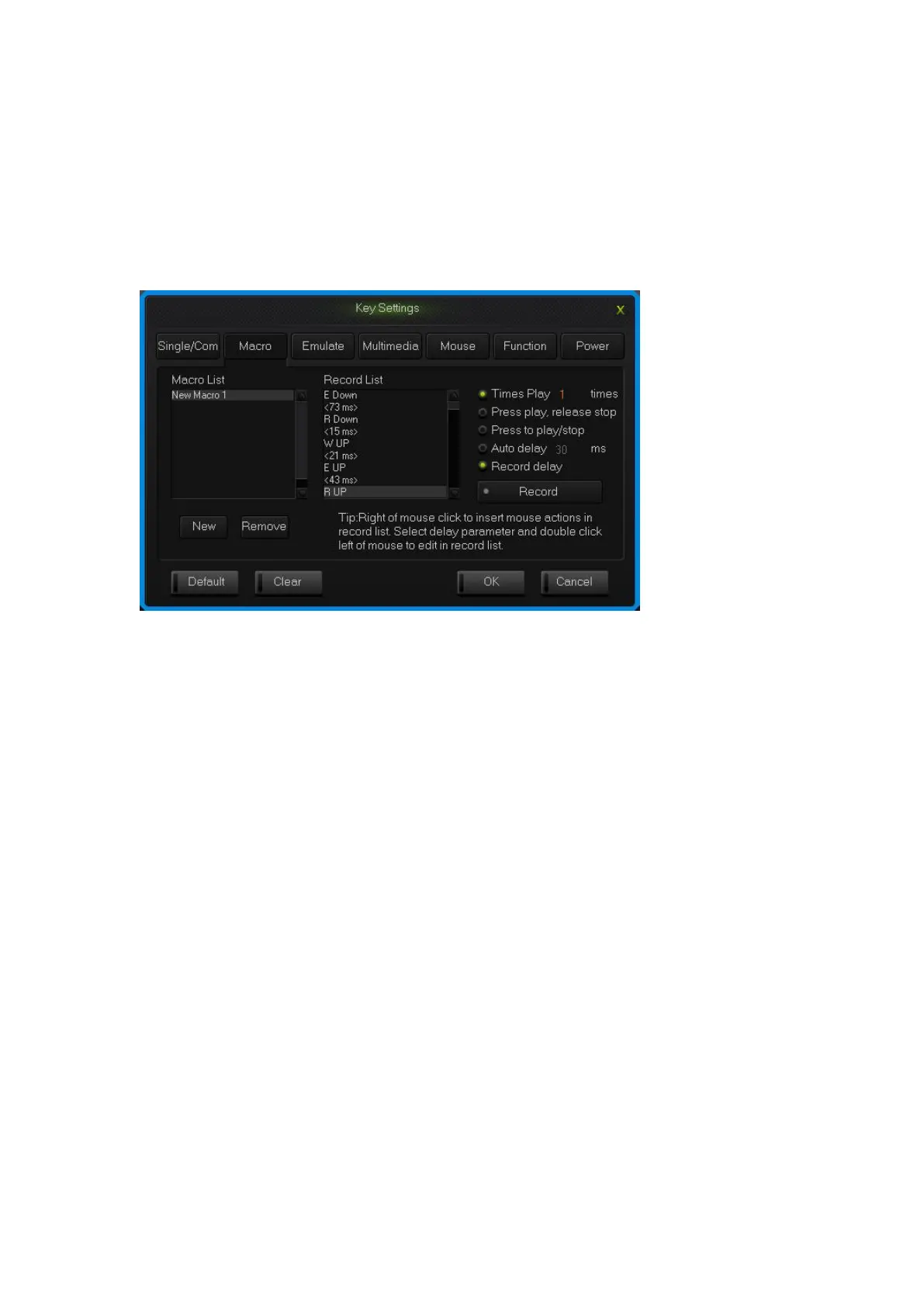
and edit the delay time .sigle click the other area of record list to exit the editable
status.
How to insert mouse and delay
After recording a macro, right click the key in the edit list, choose operate insert
mouse and delay.
Macro definition key interface
2.3 Simulate key stroke
What is simulate key stroke?
Simulate key stroke is the function that after you click the simulate key, the
keyboard will simulate the key stroke in a fast speed, it ends when the key bounce,
it can also set up the speed of key stroke.
How to set up a simulate key stroke?
1.Single click the key you need to configure ,click “key stroke” in the “keys
set up panel”;
2.Choose “New” in the left side of the appeared window;
3.Choose a new-built key stroke, set up the key stroke time in the edit list on
the right side, single click “Record”, type in the keys that need define, then
click “Stop Rec”, simulate key stroke can record six at most;
4.Single click “OK”.


 To Next Page