
 Need help?
Do you have a question about the Noctua NH-U12S DX-4677 and is the answer not in the manual?
Use Intel's guide for CPU carrier frame attachment and socket installation.
Secure heatsink, manage thermal compound, and clean surfaces if necessary.
Reattach fans to the heatsink using the supplied steel clips.
Connect fan(s) to motherboard CPU fan headers, using a Y-cable if needed.
Use Intel's official guidelines for removing the heatsink and CPU.
Offers a 6-year warranty and direct, fast, and straightforward RMA service.
Contact support at support@noctua.at or consult website FAQs for assistance.
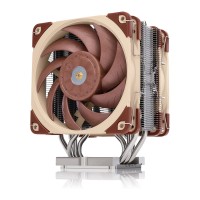
The Noctua NH-U12S DX-4677 is a high-performance quiet cooling solution specifically designed for Intel Xeon processors. This installation manual provides a step-by-step guide for setting up the cooler, ensuring optimal performance and compatibility.
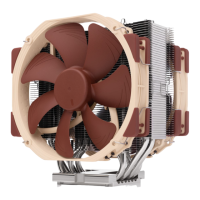
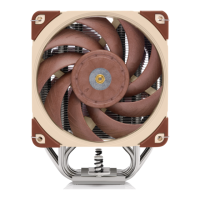
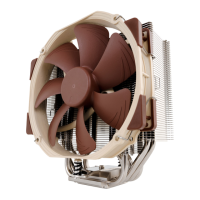
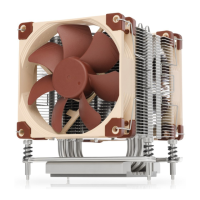
The primary function of the Noctua NH-U12S DX-4677 is to efficiently dissipate heat from Intel Xeon processors, thereby maintaining stable operating temperatures and preventing thermal throttling. This is crucial for high-performance computing environments where sustained workloads can generate significant heat. The cooler is part of Noctua's DX line, which is renowned for its quiet operation despite its powerful cooling capabilities. By effectively managing CPU temperatures, the NH-U12S DX-4677 contributes to the overall stability, longevity, and performance of the system. Its design is a result of extensive research and attention to detail, aiming to provide a superior cooling experience for demanding users.
The installation process for the NH-U12S DX-4677 is guided by the SecuFirm2™ mounting system, which is designed for ease of use and secure attachment. Before beginning the installation, users are advised to consult Noctua's compatibility center on their website (ncc.noctua.at) to verify that the cooler is fully compatible with their specific motherboard. This pre-check helps prevent potential issues and ensures a smooth installation.
Users must also ensure that their PC case provides sufficient clearance for the cooler and that there are no compatibility conflicts with other components, such as tall RAM modules. It is important to double-check that the heatsink and fan clips do not make contact with the VGA card, other PCIe cards, motherboard heatsinks, or any other components, as this could lead to damage or reduced performance. Noctua explicitly states that it cannot be held responsible for any damage or losses caused by compatibility issues, emphasizing the importance of these preliminary checks.
The installation begins with removing the fans from the cooler. The fans are attached using supplied steel clips, which are designed for easy removal and reattachment.
The core of the installation involves assembling the carrier frame, CPU, and heatsink, and then installing this assembly into the socket. Users are directed to follow the official Intel installation manual (www.intel.com/processorinstall) for detailed instructions on how to attach the CPU carrier frame to the heatsink, insert the CPU into the carrier frame, and install the entire CPU/heatsink assembly into the socket. A crucial note highlights that while Intel's illustrations might show a 2U heatsink, the Noctua NM-XFB9 brackets use the same mounting parts, making the procedure identical for Noctua heatsinks.
A specific requirement for installing an LGA4677 processor and heatsink is the use of a plastic CPU carrier frame. These frames are typically included with boxed retail CPUs or can be purchased separately from Intel sales partners for tray-type CPUs. It is essential to ensure that the correct carrier frame type (E1A, E1B, or E1C) is acquired for tray-type CPUs, as different CPUs require different frame types.
When attaching the CPU carrier frame to the base of the heatsink, the heatsink should be turned upside down so that its base faces upwards. Users are instructed to carefully place the heatsink onto the tips of the heatpipes and secure it with one hand to prevent tilting and bending of the fins. The plastic protection cover must be removed from the heatsink base, taking care not to damage the pre-applied thermal compound layer.
After the CPU and heatsink assembly is securely installed, the fans are reattached to the heatsink using the supplied steel clips. Finally, the fan(s) are connected to the motherboard's CPU fan header(s). If two fans are used, the supplied NA-YC1 y-cable can be utilized to connect both fans to a single fan header, simplifying cable management and ensuring synchronized fan control.
For system transport, Noctua strongly recommends removing the cooler. Since it's impossible to reliably calculate or control the forces acting on a system during shipping, taking the cooler off is a safety measure. Noctua disclaims responsibility for any damage due to excessive stress during transport if the heatsink remains installed.
The NH-U12S DX-4677 is designed with a focus on long-term reliability and ease of maintenance. One key aspect is the pre-applied thermal compound on the heatsink base. This eliminates the need for users to apply thermal paste during the initial installation, ensuring an optimal and consistent thermal interface.
However, for subsequent installations or if the heatsink is not being used for the first time and lacks a fresh layer of pre-applied thermal compound, users must apply a thin layer of thermal compound to the CPU themselves before clipping it to the heatsink. It is crucial to clean off any residual traces of previous thermal paste or thermal pads from both the CPU and the heatsink before applying new compound to ensure proper heat transfer. This step is vital for maintaining the cooler's performance over time.
Noctua stands by the quality of its products, offering a warranty period of 6 years and direct, fast, and straightforward RMA service. This commitment to customer support ensures that users can rely on assistance in case of any defects or issues. Should users encounter any difficulties with their NH-U12S DX-4677, they are encouraged to contact Noctua's support team at support@noctua.at. Additionally, a comprehensive FAQ section is available on their website (www.noctua.at/faqs) to address common questions and troubleshooting scenarios. This robust support infrastructure contributes to the long-term usability and maintainability of the device.
 General
| Fan connector | 4-pin |
|---|---|
| Product color | Brown, Light brown, Silver |
| Number of fans | 2 fan(s) |
| Radiator material | Aluminum |
| Base plate material | Copper |
| Number of heat pipes | 5 |
| Type | Air cooler |
| Bearing type | Self-Stabilising Oil-pressure Bearing (SSO) |
| Fan diameter | 120 mm |
| Suitable location | Processor |
| Rotational speed (min) | 450 RPM |
| Noise level (high speed) | 22.6 dB |
| Compatible processor series | Intel Xeon W |
| Supported processor sockets | LGA 4677 (Socket E) |
| Fan 2 rotational speed (max) | 2000 RPM |
| Fan voltage | 12 V |
| Fan power consumption | 1.68 W |
 Weight and Dimensions
| Depth | 97 mm |
|---|---|
| Width | 125 mm |
| Height | 158 mm |
| Weight | 1018 g |
| Package depth | 200 mm |
| Package width | 230 mm |
| Package height | 130 mm |
| Package weight | 1600 g |
| Radiator depth | 45 mm |
| Fan 2 dimensions (W x D x H) | 120 x 120 x 25 mm |


 To Next Page