Nokia 6230 User Guide 159 Copyright © 2004 Nokia
Hardware and enhancements
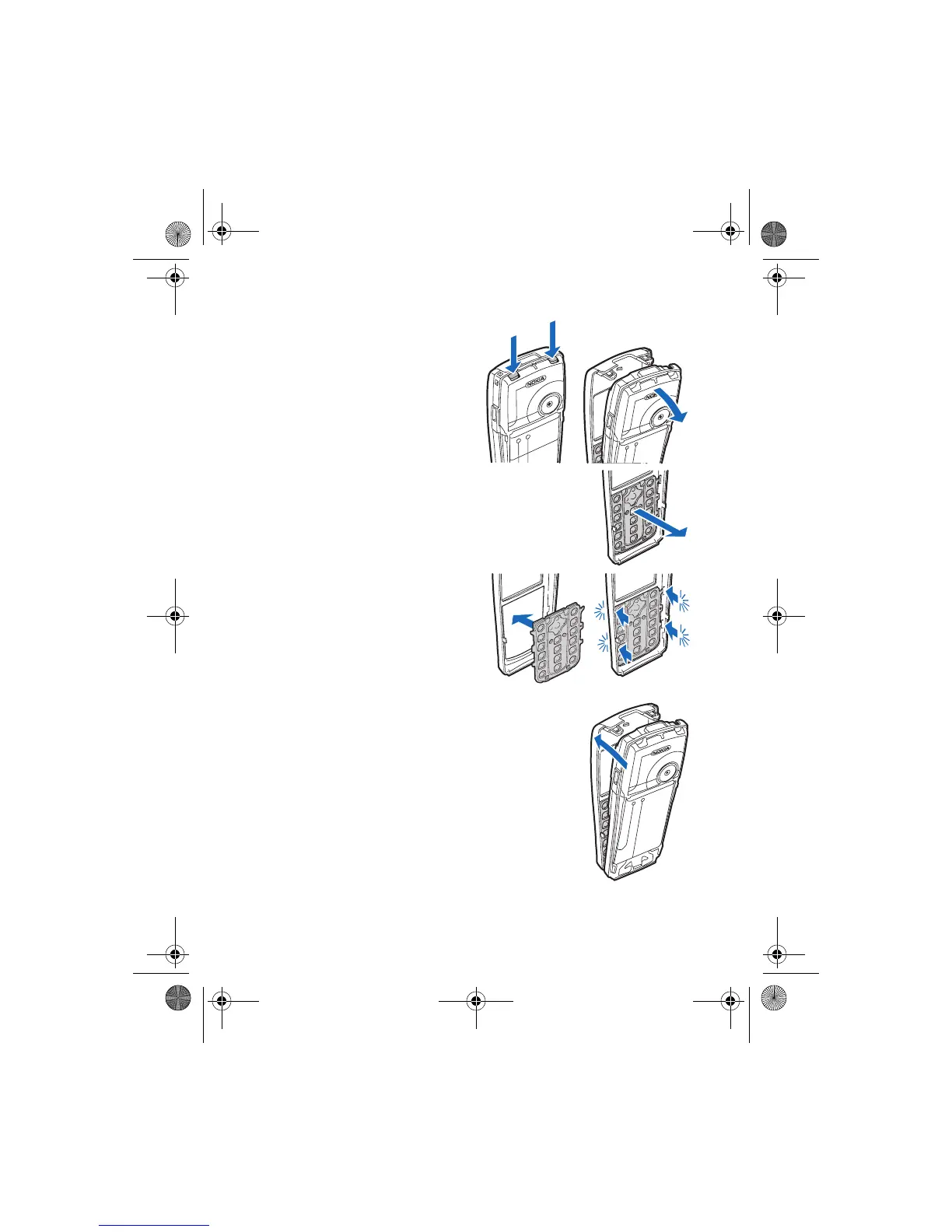
2 Beginning at the top of the
phone, gently pull the front
cover away from the phone and
detach the front cover.
3 Remove the key mat from the
front cover by pressing it gently outwards.
4 Place the keymat in the new
front cover and press it gently in.
5 Replace the front cover by pressing it gently on the
phone, beginning from the bottom.
6 Replace the back cover as described in “Replace the back cover” on page 20.
6230.ENv1a_9310059.book Page 159 Monday, March 22, 2004 11:54 AM



 To Next Page