21
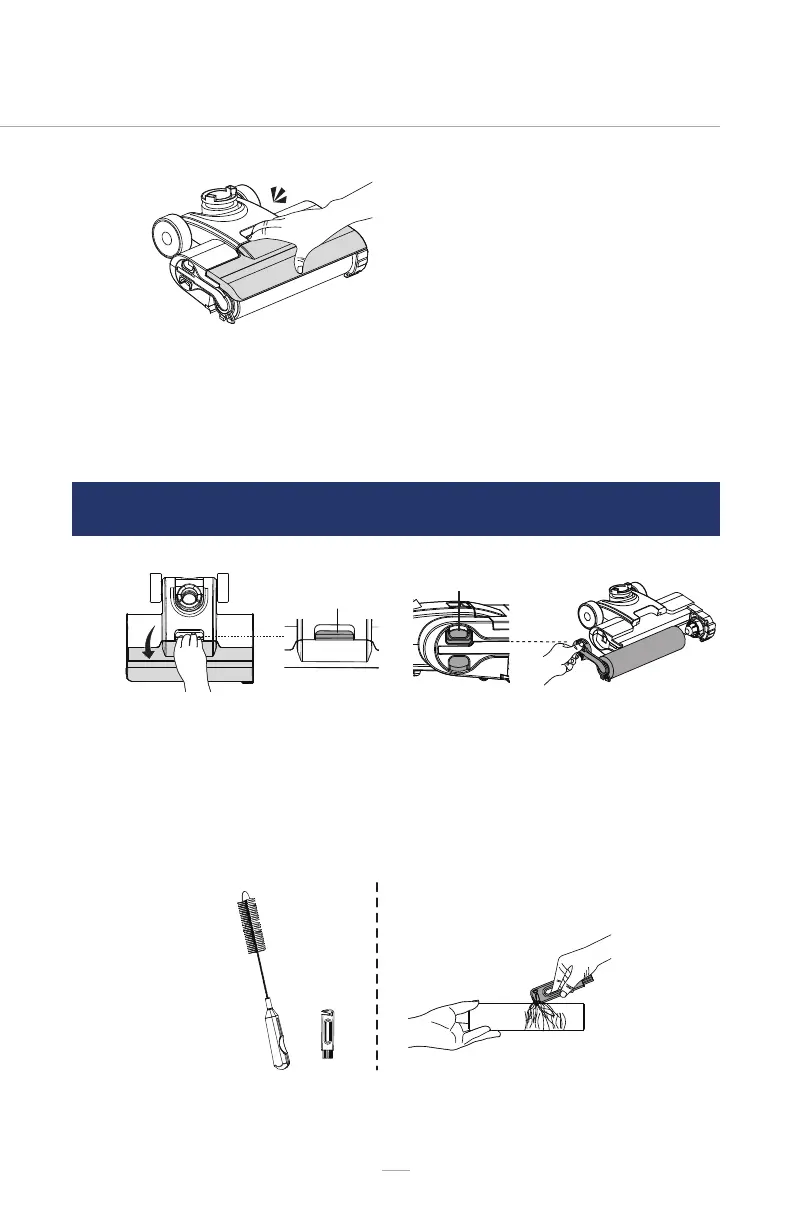
Brush Roller Cover
Release Button
CLEANING & REPLACING THE BRUSH ROLLER
03
01 02
03
Replace the brush roller cover to the
oor head until you hear a “click”.
When replacing, always latch the brush
cover into place to avoid leakage.
Remove the brush roller cover from
the oor head. See instructions in
CLEANING THE BRUSH ROLLER COVER
(page 20-21).
Remove the brush roller by grabbing
the brush roller tab and pulling
upward.
Take out the brush roller cleaning tool from the handle of the cleaning tool.
Using the brush roller cleaning tool, remove the hair and debris wrapped
around the roller. After use, put the brush roller cleaning tool back onto the handle.


 To Next Page