Customer Confidence 4
On the PC/laptop open an SSH (Secure Shell) client connection using PuTTY, Hyperterm,
Procomm (or equivalent) to the EG using the Gateway’s default IP address 172.30.30.172.
With everything connected and powered up, you are now ready to configure the Gateway’s
WAN for a static IP address, DHCP Client or PPPoE client using the appropriate
configuration guidelines that follow in order to obtain the license key.
Go to Initial (startup) Configuration.
Once the key has been obtained, the web management interface (WMI) can be used to
continue and finish the configuration.
Initial (startup) Configuration
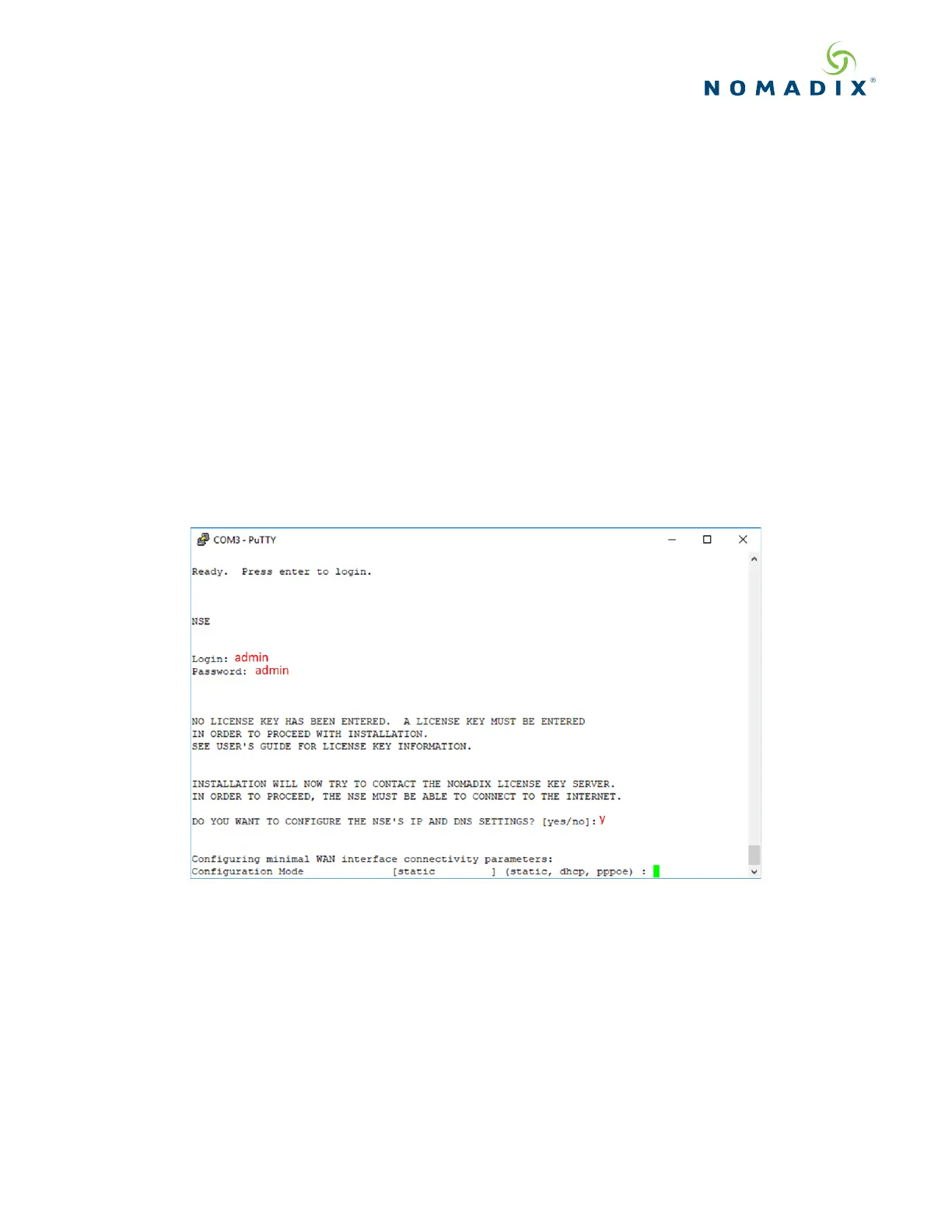
Log in to the Gateway, by opening an SSH to 172.30.30.172 using the default Login= admin and password=
admin. Type y[es] when prompted to configure settings.
The initial minimal WAN port configuration mode will be displayed as shown in Figure 3.
Figure 3: Initial minimal WAN port configuration.
Select the desired configuration mode and use the following steps to configure the WAN port for either Static IP,
DHCP client or PPPoE.



 To Next Page