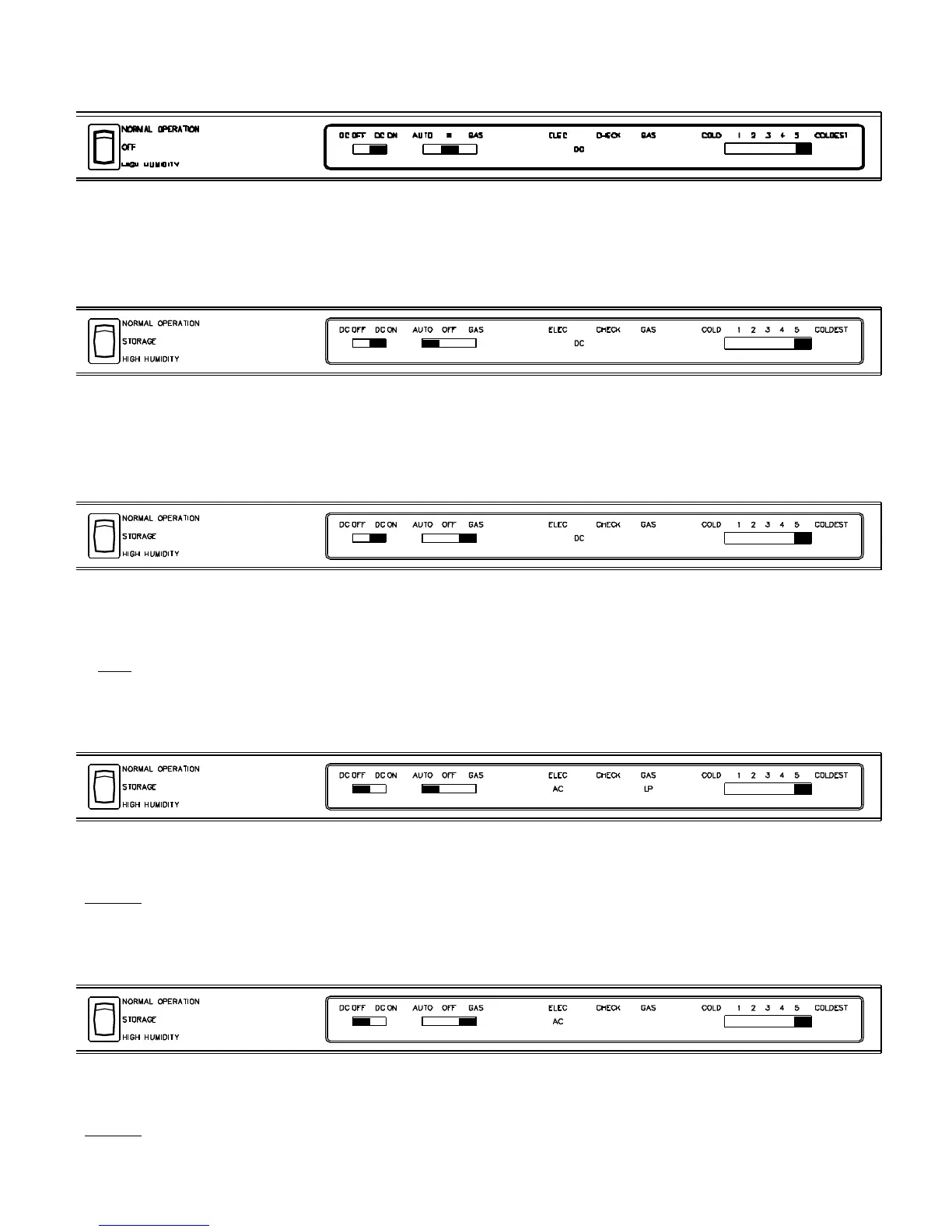
Normal Condition
Mode Selector set to OFF; DC switch set to DC ON; DC indicated. Refrigerator operating on DC.
Normal Condition*
Mode Selector set to AUTO; DC switch set to DC ON; DC indicated. Refrigerator operating on DC.
Normal Condition*
Mode Selector set to GAS; DC switch set to DC ON; DC indicated. Refrigerator operating on DC.
* Note:
The DC switch when set to DC ON will override both AUTO and GAS operation.
Abnormal Condition
Mode Selector set to AUTO; AC and LP indicated. Refrigerator operating on AC.
Remedy: Turn off the fluorescent lights (located in the coach) one at a time until the LP light goes off. Replace the
fluorescent light, or run the 12 volt DC input wire directly from the battery to the refrigerator.
Abnormal Condition
Mode Selector set to GAS; AC indicated. Refrigerator operating on GAS.
Remedy: Replace Eyebrow board.
Figure 11.67 DC Operation
Figure 11.69 DC Operation
Figure 11.68 DC Operation
Figure 11.71 Gas Operation
Figure 11.70 Auto Operation
40



 To Next Page