Measure current
3. Connect the PPK2 to a computer using a USB cable.
4. Start the Power Profiler app.
5. Select your PPK2.
6. Select Source Meter as the mode.
7. Set the supply voltage to a value between 4.0 V to 5.5 V.
8. Toggle Enable power output to power the nPM1300 EK.
9. Click Start.
5.3.3 Measure VOUT1 or VOUT2 current
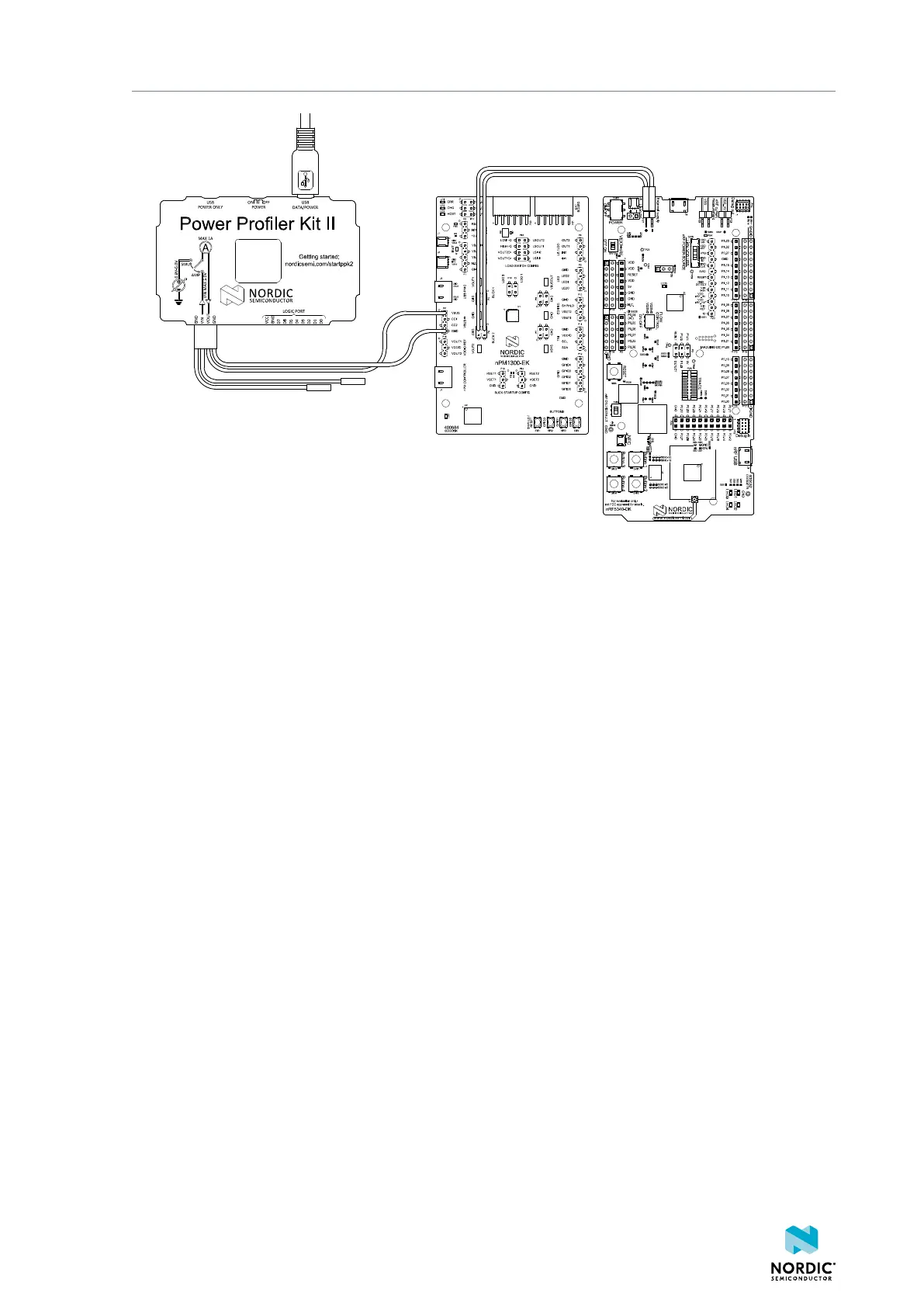
The Power Profiler Kit II (PPK2) is operated in Ampere Meter mode for this configuration.
Use a 4-pin cable for the pin connection between PPK2, nPM1300 EK, and the target device (nRF5340 DK
in this example).
1. Connect the PPK2 GND to nPM1300 EK GND. Depending on what you want to measure, use the
following alternatives on the EK:
a) VOUT1: use P4 (pins 3 or 4)
b) VOUT2: use P5 (pins 3 or 4)
2. Connect the PPK2 VIN to nPM1300 EK using the following alternatives:
a) VOUT1: use P4 (pins 1 or 2)
b) VOUT2: use P5 (pins 1 or 2)
3. Connect the PPK2 to the target device (nRF5340 DK in this example) on the following pins:
• PPK2 VOUT to DK External supply
• PPK2 GND to DK External supply
4490_387
33



 To Next Page