EasyManua.ls Logo

NordicTrack C VR 21 - User Manual

NordicTrack C VR 21
27 pages
Print Icon
To Next Page IconTo Next Page
Loading...
Serial Number
Decal
CAUTION
Read all precautions and
instructions in this manual before
using this equipment. Keep this
manual for future reference.
Model No. NTEX76016C.0
Serial No.
Write the serial number in the space
above for reference.
nordictrack.ca
USER’S MANUAL
To register your product and
activate your warranty today,
go to iconservice.ca.
Call toll-free 1-888-936-4266
Mon.–Fri. 7:30 a.m.–4:30 p.m. ET
(excluding holidays)
or email us at
customerservice@iconcanada.ca
Please do not contact the store.
ACTIVATE YOUR
WARRANTY
CUSTOMER SERVICE
Question and Answer IconNeed help?

Do you have a question about the NordicTrack C VR 21 and is the answer not in the manual?

Summary

Warning Decal Placement

Important Precautions

Protect Your Fitness Equipment with an Extended Service Plan

Before You Begin

Part Identification Chart

Assembly

Initial Assembly Steps

Register product and attach front stabilizer.

Attaching Frame Stabilizers and Upright

Secure rear stabilizer, upright, and covers.

Installing Console and Handlebars

Mount console bracket and attach handlebars.

Connecting Console Wiring and Covers

Wire console and attach protective covers.

Attaching Seat and Backrest Components

Mount seat, seat handlebar, and backrest frame.

Installing Seat and Pedals

Attach seat and tighten pedals with straps.

Final Assembly and Power Connection

Plug in power adapter and perform final inspection.

How to Use the Exercise Bike

How to Plug In the Power Adapter

Connect power adapter to bike and outlet.

How to Move the Exercise Bike

Move bike using front wheels and rear handle.

How to Adjust the Angle of the Console

Tilt console to preferred viewing angle.

How to Adjust the Seat

Adjust seat position forward or backward.

How to Adjust the Pedal Straps

Tighten or loosen pedal straps for secure fit.

How to Level the Exercise Bike

Adjust leveling feet to stabilize bike.

Console Diagram

Features of the Console

How to Use the Manual Mode

Scan Mode and Priority Mode

Alternating or prioritizing display data like calories and watts.

Measure Your Heart Rate

Using handgrip or chest monitors to track heart rate.

Turn On The Fan

Adjusting fan speed or turning it on/off.

Automatic Console Turn Off

Console powers down after inactivity.

How to Use an Onboard Workout

How to Connect Your Tablet to the Console

How to Connect Your Heart Rate Monitor to the Console

How to Use the Sound System

The Optional Chest Heart Rate Monitor

How to Change Console Settings

Maintenance and Troubleshooting

Maintenance

Regular cleaning and inspection for optimal performance.

Console Troubleshooting

Steps for issues with console power or data display.

How to Adjust the Drive Belt

Adjusting drive belt for pedal slip.

How to Adjust the Reed Switch

Exercise Guidelines

Exercise Intensity

Using heart rate for proper exercise intensity.

Workout Guidelines

Recommendations for warming up, training, and cooling down.

Exercise Frequency

Advice on exercise frequency for fitness.

Part List

Exploded Drawing A

Exploded Drawing B

Overview

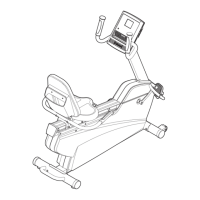
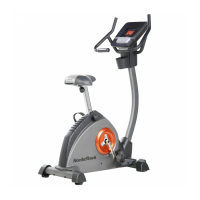
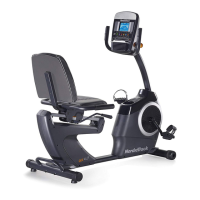
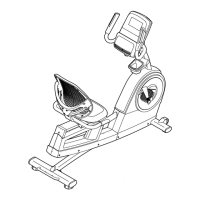
The NordicTrack C VR21 is an exercise bike designed for home use, offering a range of features to enhance cardiovascular fitness, build endurance, and tone the body. It is not intended for commercial, rental, or institutional settings.

Function Description:

The C VR21 exercise bike provides a manual mode for users to control resistance and a selection of onboard workouts that automatically adjust resistance levels. It features a console that displays continuous exercise feedback, including speed, distance, calories burned, heart rate, RPM, and time. The console is equipped with a handgrip heart rate monitor and is compatible with BLUETOOTH® Smart chest heart rate monitors for continuous heart rate tracking. Users can connect their tablet to the console via the iFit®-Smart Cardio Equipment app to record and track workout information. The console also includes a sound system, allowing users to connect a personal audio player and listen to music or audio books during workouts. A fan with multiple speed settings, including an auto mode that adjusts based on exercise intensity, is integrated for user comfort.

Important Technical Specifications:

  • Model Number: NTEX76016C.0
  • User Weight Capacity: Not to exceed 350 lbs. (159 kg).
  • Dimensions:
    • Length: 4 ft. 11 in. (150 cm)
    • Width: 1 ft. 10 in. (56 cm)
  • Power: Requires a power adapter (107).
  • Console Compatibility: BLUETOOTH® Smart heart rate monitors, iFit®-Smart Cardio Equipment app (iOS® or Android™ tablets).
  • Audio: 3.5 mm male-to-male audio cable (not included) required for sound system.
  • Console IC: 3673A-BMD1 (Class B digital apparatus, complies with Canadian ICES-003).

Usage Features:

  • Console Operation:
    • Turning On: Begin pedaling or press any button.
    • Manual Mode: Select by pressing the Manual Control button. Resistance can be adjusted using Quick Resistance increase/decrease buttons or numbered Quick Resistance buttons.
    • Onboard Workouts: Select by pressing the desired Workout Apps button. Workouts are divided into one-minute segments with programmed resistance and target speed. Users can manually override resistance settings.
    • Display Feedback: Shows RPM, RPM Average, Calories (flame icon), Calories per Hour, Distance, Pulse (BPM), Pulse Average, Speed, Time, and Watts/Average Watts.
    • Scan Mode/Priority Mode: Calories and watts displays alternate in scan mode; press increase/decrease buttons to select continuous display (priority mode).
    • Home Button: Exits workout and returns to main menu.
    • End/Summary Button: Ends workout and displays a summary.
    • Volume Control: Increase/decrease buttons for console sound system.
    • Fan Control: Increase/decrease buttons to select fan speed or auto mode.
    • Auto Shut-off: Console turns off automatically after several minutes of inactivity.
  • Heart Rate Monitoring:
    • Handgrip Monitor: Hold metal contacts with palms. Avoid moving hands or gripping tightly. Readings appear after at least 15 seconds.
    • Optional Chest Monitor: Compatible with BLUETOOTH® Smart heart rate monitors. If both handgrip and chest monitors are used, the chest monitor has priority.
    • Connecting Heart Rate Monitor: Press the iFit Sync button on the console.
  • Tablet Connectivity:
    • iFit-Smart Cardio Equipment App: Download and install on iOS® or Android™ tablet. Ensure BLUETOOTH® is enabled.
    • Connecting Tablet: Press the iFit Sync button on the console. Console pairing number appears. Follow app instructions. LED turns solid blue when connected.
    • Disconnecting Tablet: Select disconnect option in the app, then press and hold the iFit Sync button on the console until the LED turns solid green.
  • Sound System: Plug a 3.5 mm audio cable into the console jack and a personal audio player. Adjust volume via console buttons or audio player.
  • Console Settings:
    • Accessing Settings: Press the Settings button.
    • Navigation: Use increase/decrease buttons to cycle through screens.
    • Units: Change measurement units (miles/kilometers) by pressing the Enter button.
    • Contrast Level: Adjust using Quick Resistance increase/decrease buttons.
    • Usage Information: Displays total hours of use and total distance pedaled.
    • Demo Mode: Turn on/off using Quick Resistance increase button.
    • Exiting Settings: Press the Settings button.
  • Adjustments:
    • Seat Adjustment: Push down on the adjustment handle, slide the seat to the desired position, and pull up to lock.
    • Pedal Straps: Pull downward on the strap end to tighten; press the tab and pull upward to loosen.
    • Console Angle: Turn the console knob to adjust.
    • Leveling: Turn leveling feet (F) beneath the rear stabilizer to eliminate rocking.
  • Moving the Exercise Bike: Hold the handle (B) on the rear stabilizer and lift carefully to move on the front wheels.

Maintenance Features:

  • Regular Inspection: Inspect and properly tighten all parts each time the exercise bike is used. Replace worn parts immediately.
  • Cleaning: Use a damp cloth and a small amount of mild soap. Avoid liquids on the console and keep the console out of direct sunlight to prevent damage.
  • Power Adapter: If exposed to cold temperatures, allow the exercise bike to warm to room temperature before plugging in the power adapter to prevent damage to electronic components. Use only a manufacturer-supplied regulated power adapter.
  • Drive Belt Adjustment: If pedals slip, the drive belt may need adjustment. Unplug the power adapter. Lay the bike on its side and slightly tighten the M8 Hex Nut (113). Return to upright position and plug in the power adapter. Repeat if necessary.
  • Reed Switch Adjustment: If the console does not display correct feedback, the reed switch may need adjustment. Unplug the power adapter. Pry off the left Crank Cover (25), remove M5 x 20mm Screws (53), and rotate the left Shield Cover (24). Locate the Reed Switch (35). Rotate the Left Crank Arm (100) until a Magnet (39) aligns with the Reed Switch. Loosen the Clamp Screw (A), slide the Reed Switch slightly toward or away from the Magnet, and retighten. Plug in the power adapter and rotate the Left Crank Arm (100) to check feedback. Reattach parts once adjusted.

NordicTrack C VR 21 Specifications

General IconGeneral
BrandNordicTrack
ModelC VR 21
CategoryExercise Bike
LanguageEnglish

Related product manuals