EasyManua.ls Logo

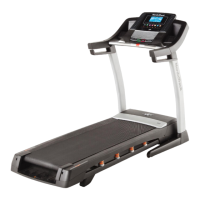
NordicTrack C1630PRO - User Manual

NordicTrack C1630PRO
40 pages
Print Icon
To Next Page IconTo Next Page
Loading...
USER’S MANUAL
www.nordictrack.com
Model No. NTL12212.1
Serial No.
Write the serial number in the space
above for reference.
CAUTION
Read all precautions and instruc-
tions in this manual before using
this equipment. Save this manual
for future reference.
ACTIVATE YOUR
WARRANTY
To register your product and
activate your warranty today, go
to www.nordictrackservice.com/
registration.
CUSTOMER CARE
For service at any time, go to
www.nordictrackservice.com.
Or call 1-800-TO-BE-FIT
(1-800-862-3348)
Mon.–Fri. 6 a.m.–6 p.m. MT
Sat. 8 a.m.–12 p.m. MT
Please do not contact the store.
Serial Number
Decal

Questions and Answers

  • J
    Jessica KennedyAug 2, 2025
    Why does my NordicTrack C1630PRO Treadmill power turn off during use?
    • B
      billysmithAug 2, 2025
      If your NordicTrack Treadmill's power turns off during use, first check the power switch. If it has tripped, wait five minutes, then press the switch back in. Also, ensure the power cord is properly plugged in. If it is, unplug it, wait five minutes, and plug it back in.
  • J
    Joseph PattersonAug 8, 2025
    How to fix NordicTrack C1630PRO Treadmill that does not turn on?
    • D
      Denise BernardAug 8, 2025
      If your NordicTrack Treadmill's power does not turn on, ensure the power cord is plugged into a surge suppressor, and that the surge suppressor is plugged into a properly grounded outlet, using a surge suppressor that meets the required specifications. Try holding down the Stop button for a few seconds. If the displays remain lit when you remove the key, the demo mode is turned on, hold down the Stop button for a few seconds to turn it off. Check the power switch located on the treadmill frame near the power cord; if it has tripped, wait five minutes and then press it back in.
  • J
    Jennifer StewartAug 17, 2025
    How to recalibrate incline on NordicTrack Treadmill?
    • E
      Elizabeth FreemanAug 17, 2025
      To recalibrate the incline on your NordicTrack Treadmill, hold down the Stop button and the Speed increase button, insert the key into the console, and then release the Stop button and the Speed increase button. You can also press the Stop button and then press the Incline increase or decrease button. The treadmill will automatically rise to the maximum incline level and then return to the minimum level to recalibrate the incline system.
  • E
    Emily CarterAug 23, 2025
    What to do if NordicTrack Treadmill walking belt is off-center?
    • D
      Debra StewartAug 25, 2025
      If the walking belt on your NordicTrack Treadmill is off-center, remove the key and unplug the power cord. If the belt has shifted left, turn the left idler roller screw clockwise 1/2 turn. If it has shifted right, turn the left idler roller screw counterclockwise 1/2 turn. If the walking belt slips when walked on, remove the key and unplug the power cord. Turn both idler roller screws clockwise 1/4 of a turn.

Summary

WARNING DECAL PLACEMENT

IMPORTANT PRECAUTIONS

iFIT FEATURES

LOSE WEIGHT

Progressive weight loss programs with trainers.

PERSONALIZED EVENT TRAINING

Training for 5k, 10k, half or full marathons.

MAP YOUR ROUTE

Simulates terrain using Google Maps and Street View.

COMPETE WITH OTHERS

Real-time virtual races to push limits.

GO MOBILE

Track workouts anywhere with iFit mobile apps.

SHARE YOUR PROGRESS

Inspire others, motivate yourself, share routes.

EXTENDED SERVICE PLAN OPTIONS

BEFORE YOU BEGIN

PART IDENTIFICATION CHART

ASSEMBLY INSTRUCTIONS

CHEST HEART RATE MONITOR

HOW TO PUT ON THE HEART RATE MONITOR

Instructions on wearing the heart rate monitor correctly.

CARE AND MAINTENANCE

How to clean and store the heart rate monitor.

TROUBLESHOOTING

Solutions for heart rate monitor not functioning properly.

OPERATION AND ADJUSTMENT

HOW TO CONNECT THE POWER CORD

Instructions for safely connecting the power cord to the treadmill.

CONSOLE OVERVIEW

CONSOLE DIAGRAM

Diagram showing the treadmill console layout.

FEATURES OF THE CONSOLE

Overview of the console's features and functions.

HOW TO TURN ON THE POWER

HOW TO USE THE MANUAL MODE

USING ONBOARD WORKOUTS

USING SET-A-GOAL WORKOUTS

USING iFIT WORKOUTS

USING THE SOUND SYSTEM

CONSOLE SETTINGS

DEMO MODE SETTINGS

Configure console demo mode for store display.

UNIT SELECTION

Choose measurement units (English/Metric).

WIRELESS NETWORK SETUP

Connect to Wi-Fi using Normal, WPS, or Advanced methods.

iFIT ACCOUNT CONNECTION

Set up a different iFit account with existing wireless connection.

FOLDING AND MOVING THE TREADMILL

HOW TO FOLD THE TREADMILL

Instructions for folding the treadmill for storage.

HOW TO MOVE THE TREADMILL

Steps to safely move the folded treadmill.

HOW TO LOWER THE TREADMILL FOR USE

Unfolding the treadmill from storage to use.

POWER AND DISPLAY TROUBLESHOOTING

POWER ISSUES

Resolve problems with power not turning on or turning off.

CONSOLE DISPLAY PROBLEMS

Fix issues like displays remaining lit or not functioning.

INCLINE AND BELT SPEED TROUBLESHOOTING

INCLINE SYSTEM MALFUNCTIONS

Recalibrate or fix incline system issues.

WALKING BELT SLOWDOWN

Troubleshoot walking belt slowing during use.

BELT ALIGNMENT AND DISPLAY TROUBLESHOOTING

WALKING BELT ALIGNMENT AND SLIPPAGE

Center and tighten the walking belt to prevent issues.

CONSOLE DISPLAY LINES

Adjust contrast to fix lines in the console display.

EXERCISE GUIDELINES

EXERCISE INTENSITY

Using heart rate to find proper exercise intensity levels.

WORKOUT GUIDELINES

Recommendations for warming up, training, and cooling down.

EXERCISE FREQUENCY

Suggested frequency for workouts to maintain condition.

PART LIST

EXPLODED DRAWING A

EXPLODED DRAWING B

EXPLODED DRAWING C

EXPLODED DRAWING D

ORDERING REPLACEMENT PARTS

LIMITED WARRANTY

NordicTrack C1630PRO Specifications

General IconGeneral
BrandNordicTrack
ModelC1630PRO
CategoryTreadmill
LanguageEnglish

Related product manuals