EasyManua.ls Logo

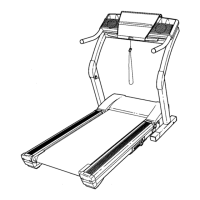
NordicTrack E 3100 - User Manual

NordicTrack E 3100
38 pages
Print Icon
To Next Page IconTo Next Page
Loading...
CAUTION
Read all precautions and instruc-
tions in this manual before using
this equipment. Save this manual
for future reference.
Serial Number Decal
Model No. NETL90133
Serial No.
Find the serial number in the location
shown below. Write the serial number
in the space above for reference.
QUESTIONS?
As a manufacturer, we are com-
mitted to providing complete
customer satisfaction. If you
have questions, or if there are
missing or damaged parts,
please call:
or write:
ICON Health & Fitness, Ltd.
Customer Service Department
Unit 4
Revie Road Industrial Estate
Revie Road
Beeston
Leeds, LS118JG
UK
email: csuk@iconeurope.com
08457 089 009
USER'S MANUAL
Class HC Fitness Product

Other manuals for NordicTrack E 3100

Questions and Answers

  • E
    Erik SantosJul 31, 2025
    Why does my NordicTrack E 3100 Treadmill power turn off during use?
    • J
      Joshua JohnsonAug 1, 2025
      If your NordicTrack Treadmill turns off during use, check the on/off circuit breaker located near the power cord. Also, ensure the power cord is securely plugged in; unplug it, wait five minutes, and plug it back in. Finally, remove and reinsert the key fully into the console.
  • E
    Erika WilliamsAug 8, 2025
    What to do if my NordicTrack Treadmill power does not turn on?
    • C
      Crystal WarnerAug 8, 2025
      First, ensure the power cord is plugged into a properly earthed outlet. If using an extension cord, it should be a 3-conductor, 1 mm[2] (14-gauge) cord no longer than 1.5 m (5 ft.). Note that the treadmill isn't compatible with GFCI-equipped outlets. Next, make sure the key is fully inserted into the console. Finally, check the on/off circuit breaker near the power cord; if it protrudes, wait five minutes, then press it back in to reset it.
  • C
    connie06Aug 16, 2025
    What to do if the NordicTrack Treadmill incline does not change correctly?
    • M
      Michele ThomasAug 16, 2025
      With the key in the console, press one of the Incline buttons. While the incline is changing, remove the key. After a few seconds, re-insert the key. The treadmill will automatically rise to the maximum incline level and then return to the minimum level. This will recalibrate the incline system.
  • L
    Luis RivasAug 23, 2025
    How to fix NordicTrack E 3100 walking belt if it slows when walked on?
    • G
      ggilbertAug 23, 2025
      If the walking belt slows when walked on, use only a 3-conductor, 1mm[2] (14-gauge) extension cord that is no longer than 1.5 m (5 ft.). If the walking belt is overtightened, treadmill performance may decrease and the walking belt may become damaged. Remove the key and unplug the power cord. Using the allen wrench, turn both rear roller adjustment bolts counterclockwise, 1/4 of a turn. When the walking belt is properly tightened, you should be able to lift each side of the walking belt 8–10cm (3–4 in.) off the walking platform. Be careful to keep the walking belt centred. Plug in the power cord, insert the key, and run the treadmill for a few minutes. Repeat until the walking belt is properly tightened.

Summary

Customer Support and Inquiries

Contacting Customer Service

Find contact phone numbers, addresses, and email for product support and inquiries.

Safety and Operation Precautions

Key Safety Guidelines for Treadmill Use

Essential safety rules covering electrical, user, and operational precautions to prevent injury.

Getting Started

Treadmill Assembly

Step-by-Step Assembly Guide

Detailed instructions for assembling the treadmill, requiring two people and specific tools.

Operation and Adjustments

Power Cord Connection and Belt Lubrication

Guidance on safely connecting the power cord and information about the walking belt's performance lubricant.

Console Operation Modes

Workout Program Functions

Customizing Your Workouts

Heart Rate Driven Workouts

Storage and Mobility

Troubleshooting and Problem Solving

Common Treadmill Issues and Solutions

Guidance to resolve common problems such as power, belt, console, and incline system errors.

Replacement Parts

NordicTrack E 3100 Specifications

General IconGeneral
Motor2.6 CHP DurX Commercial Plus Motor
Running Area20" x 60"
Display7" Smart HD Touchscreen
Weight Capacity350 Lbs.
iFit CompatibleYes
iFit CompatibilityYes
FoldingYes
BluetoothYes

Related product manuals