18
Stop draining water
from the Water Heater
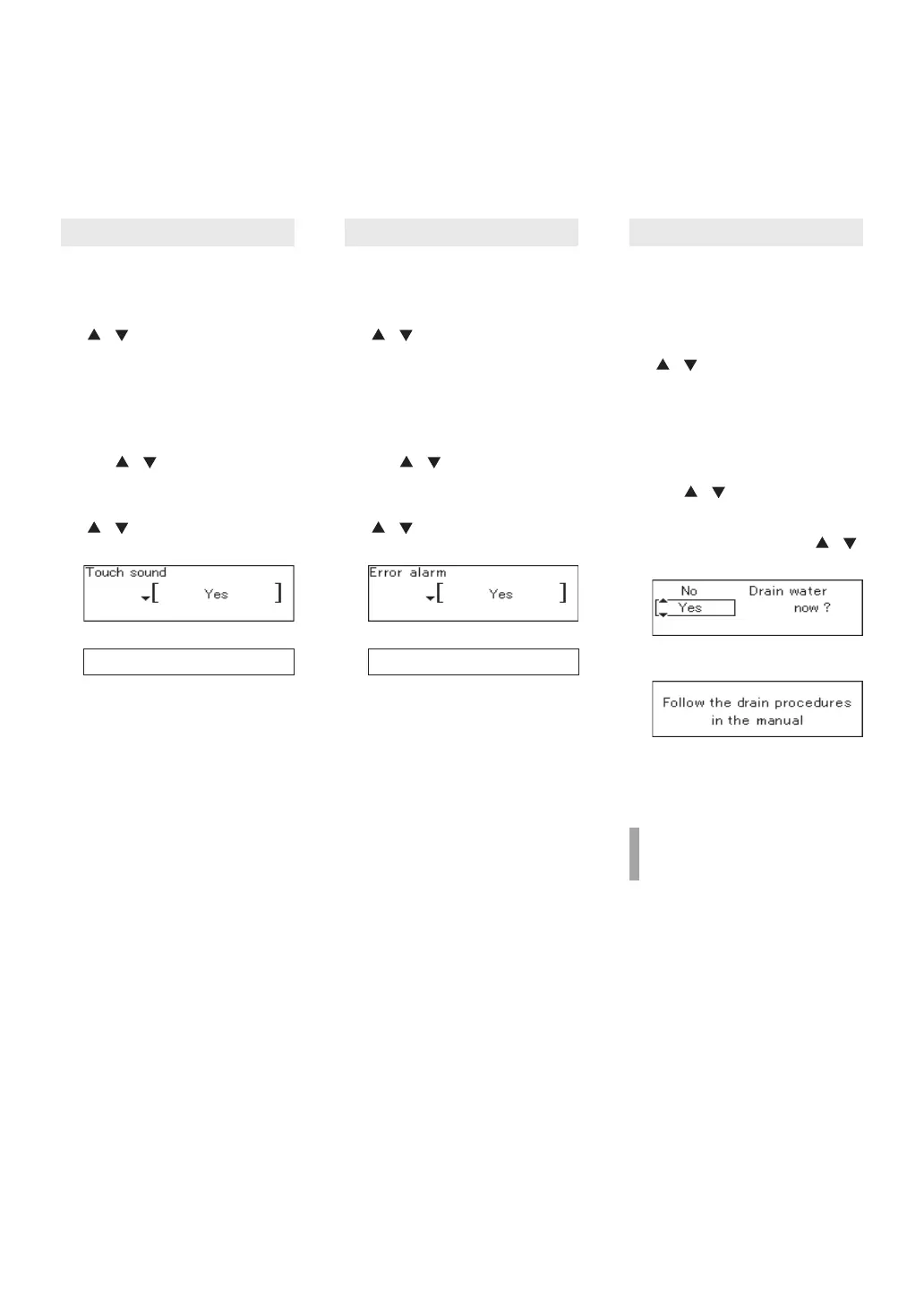
Muting the Remote Controller
The Remote Controller can be
muted so that it does not emit a
tone when a button is pressed.
(For Multi-System Only)
Error Tone Settings
The Remote Controller can be
muted so that it does not emit a
tone when an error occurs.
Draining the Water Heater
(Refer to page 26 for details.)
1. Press the MENU button
inside the cover, select
“Misc settings” using the
/ buttons.
1. Press the MENU button
inside the cover, select
“Misc settings” using the
/ buttons.
2. Press the MENU button
inside the cover, select
“Misc settings” using the
/ buttons.
3. Select “Touch sound” using
the / buttons, and then
press the ENTER button.
3. Select “Error alarm” using
the / buttons, and then
press the ENTER button.
4. Select “Drain water” using
the / buttons, and then
press the ENTER button.4. Change the setting using the
/ buttons.
(Setting completed.)
4. Change the setting using the
/ buttons.
(Setting completed.)
5. Select “Yes” using the /
buttons.
Operation Operation Operation
• The “Misc settings” screen
appears.
• To change other settings,
select the option and press
the ENTER button.
• To return to the home screen,
press the MENU button or
let it sit for approximately 20
seconds.
• To change other settings,
select the option and press
the ENTER button.
• To return to the home screen,
press the MENU button or
let it sit for approximately 20
seconds.
• Drain the Water Heater
following the procedures
described on page 26.
2. Press the ENTER button. 2. Press the ENTER button.
3. Press the ENTER button.
6. Press the ENTER button.
If you press the ENTER button
again when “Drain water” and
“Operating” are alternately
displayed following step 6, the
drain function will stop.
(e.g. Yes) (e.g. Yes)
(Default setting = Yes) (Default setting = Yes)
Yes / No Yes / No
1. The Power button is OFF.
Customizable Settings
• The “Misc settings” screen
appears.
• The “Misc settings” screen
appears.


 To Next Page