20
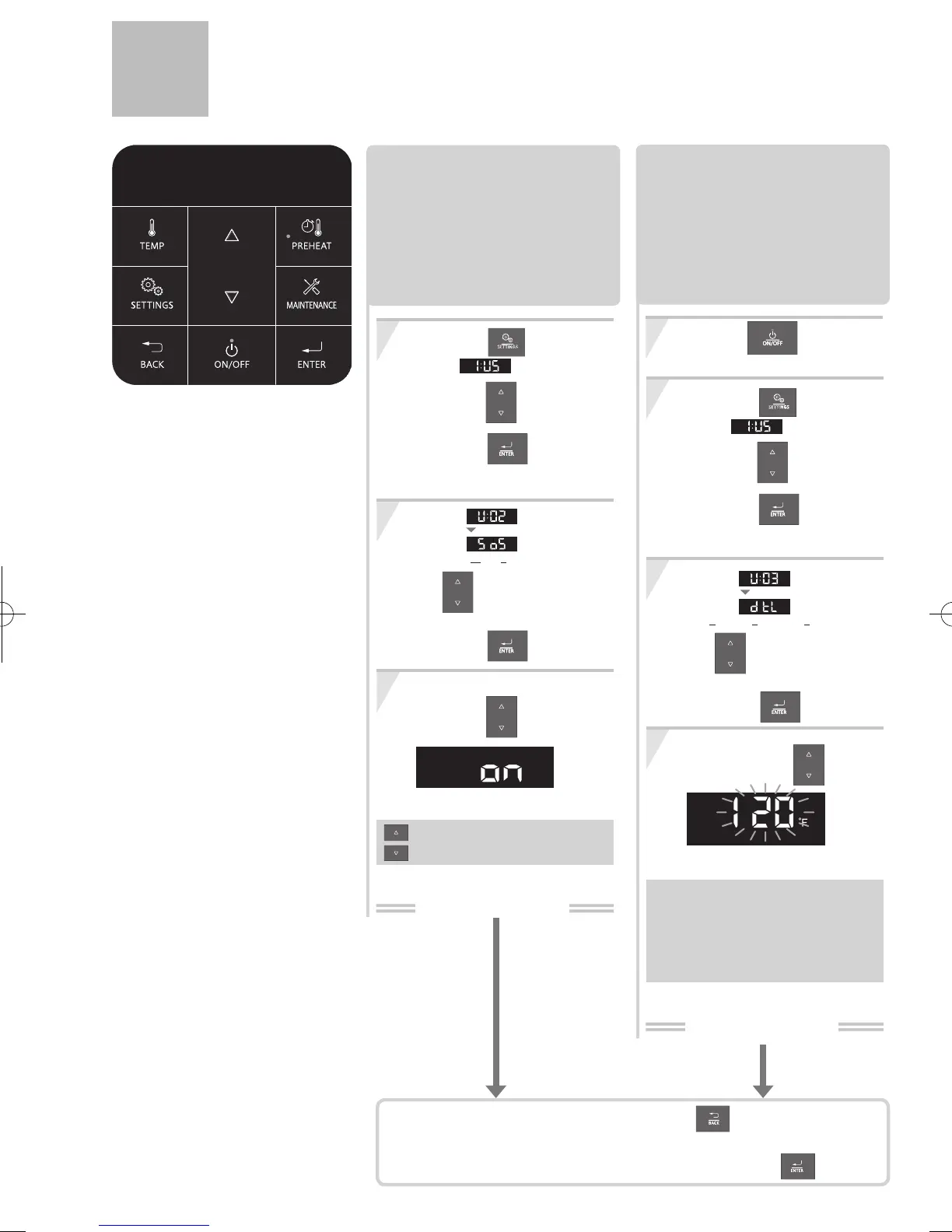
Customizable Settings <User Mode>
Adjusting the DHW Maximum
Output Temperature.
Setting completed
1
3
2
4
(e.g.: 120°F)
The DHW maximum output
temperature can be limited to prevent
discharging hot water at too high of a
temperature.
button OFF.
The Operation Panel must be off.
Press the
Change the
setting using the buttons.
[For Fahrenheit (°F)]
90 - 140°F (In 5°F intervals)
[For Celsius (°C)]
32, 35, 37 - 48°C (In 1°C intervals),
50,55,60°C
(Initial setting=120°F / 50°C)
Press the button,
Select
using the buttons.
Press the button.
The "UserMode" screen appears.
Select using
the buttons,
and then
press the button.
After 1 sec.
(dtL:DHW Max Temperature Limitation)
To return to the home screen, press the button three times
or let it sit for approximately 30 seconds.
To change other settings,
Select option and press the
button.
3
1
2
ON:the Operation Panel is not muted.
OFF:the Operation Panel is muted.
Muting the Operation Panel.
The Operation Panel can be muted
so that no tone is emitted when a
button is pressed.
Press the button,
Select
using the buttons.
Press the button.
The "UserMode" screen appears.
Select using
After 1 sec.
(SoS:Sound Setting)
the buttons,
and then
press the button.
Change the setting
using the buttons.
(e.g.: ON)
(Default setting=ON)
Setting completed


 To Next Page