18
How to use Control Panel- User mode
Chapter3.–UnitOperation
Screen Display Operation Description
C: TL Temperature Lock mode Lock mode is used(On) or unused(oFF)
I: EH Error History View the Error History (E0:XX ~ E9:XX)
J: RH Running History PLUG / bnHr / igCY / PPHr
K: FC Gallon or Liter Unit GAL / Lit
L:TA Timer Adjustment Current Timer setting
Functioncanbecheckedandsetin‘Usermode’.
([
C:TL
]-[
I:EH
]-[
J:RH
]-[
K:FC
]-[
L:TA
])
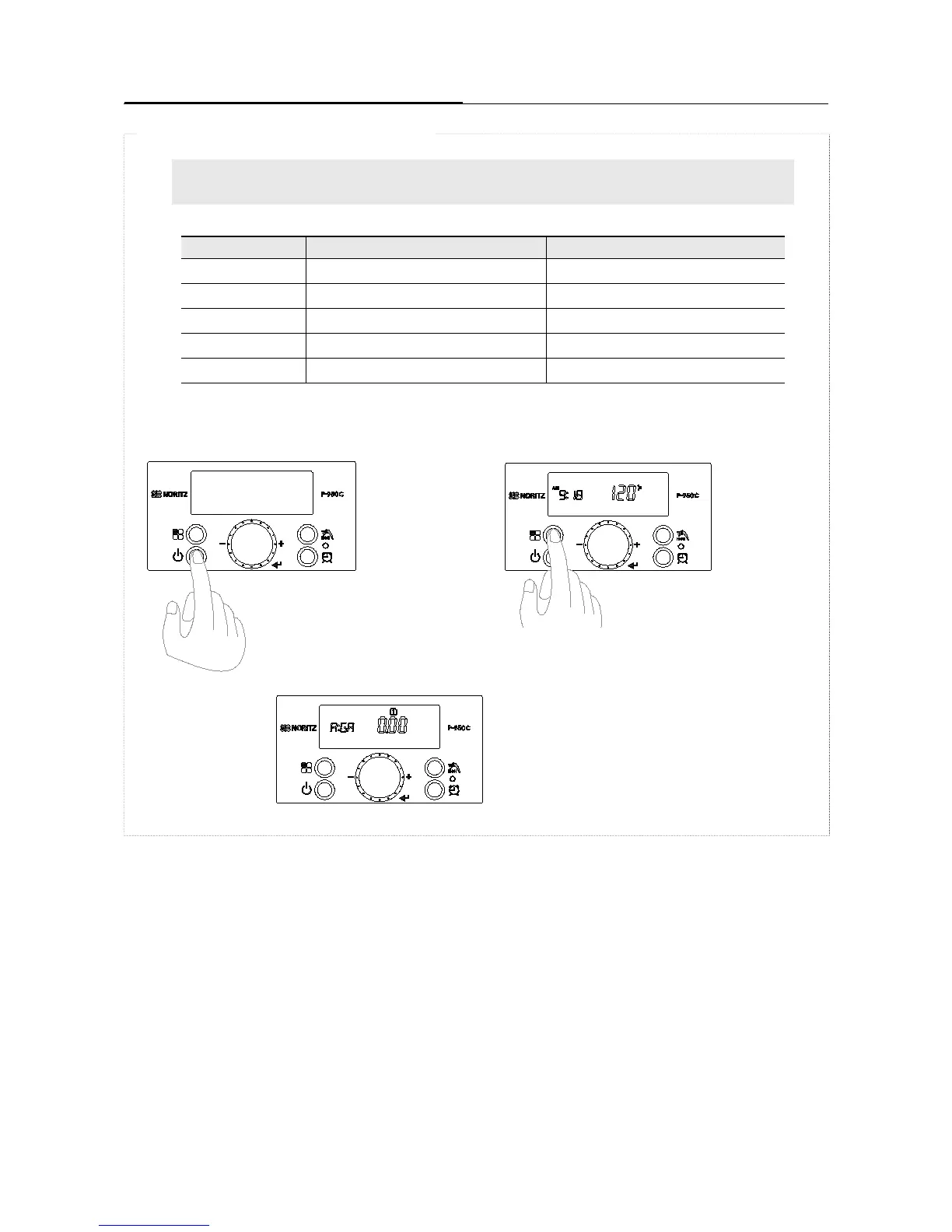
‘User Mode’ conrmation function
2. Press and hold ‘Function’ Button’ for ap-
proximately 5 Seconds to enter ‘User mode’.
1. Press the ‘Power Button’ ON.
3. ‘[A:GA]’ is displayed on the Display
screen. From here, turn the dial button to
start the setting.
[ To enter ‘User Mode’]





 To Next Page