18
19
Alterations which serve the technological progress as well as errors excepted! ORIGINAL MANUAL NORSUP
WWW.NORSUP.EU Alterations which serve the technological progress as well as errors excepted!
Temperature curve automatically updates every one hour,
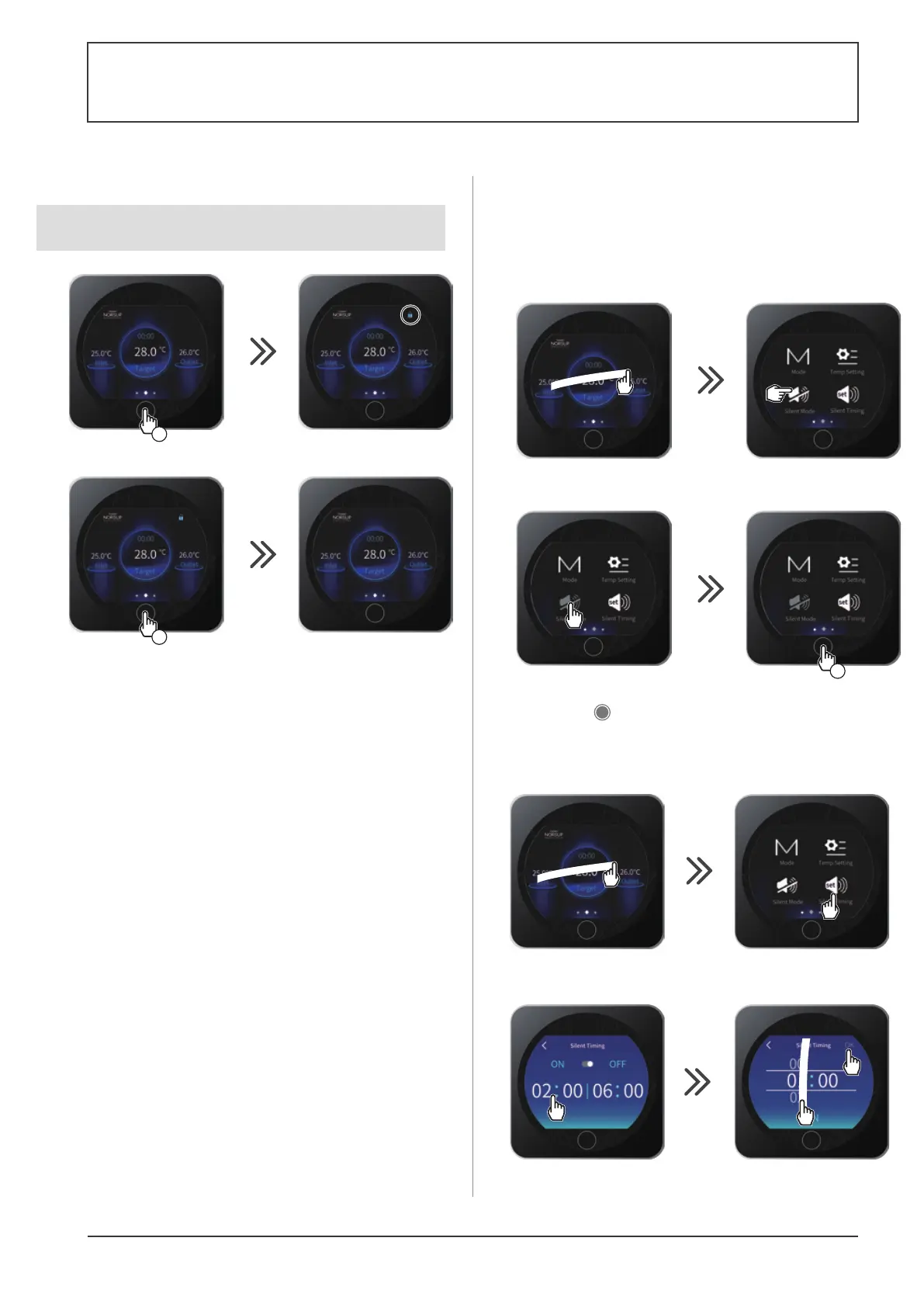
4.7 SILENT function settings
Silence mode enables the heat pump to be used in economic and very silent
mode when the heating needs are low (maintaining the pool temperature or
need for ultra-silent operation).
This function can be Activated/Deactivated manually or using a Timer.
Activation/Deactivation
Silent mode deactivated
Silent mode activated
2
3
4
1x
1
•
Press 1 times on to return to the main screen.
Adjusting the SILENT mode Timer
2
4
5
3
1
The setting step is "hour to hour".
Once the Timer is activated, it is active 7 days a week.
10
2x
8
7
6
9
•
Press 2 times on to return to the main screen.
Certain operations must be carried out by an authorized technician.
When the problem is resolved, the error is automatically acknowledged
and the triangle disappears.
If a fault occurs on the heat pump appears in the top left-hand corner of the
screen.
Refer to following table.
•
To delete the error list, press on .
Error codes
Date and time
of appearance
Description
4.8 Troubleshooting guide
•
Press 2 times on to return to the main screen.
4.6 Locking and unlocking the touch screen
Lock activated
Lock deactivated
5
s
5
s
SWIMMING POOL HEAT PUMP TYPE SP
SWIMMING POOL HEAT PUMP TYPE SP
The screen can be locked or unlocked either in ON or in OFF mode.



 To Next Page