2
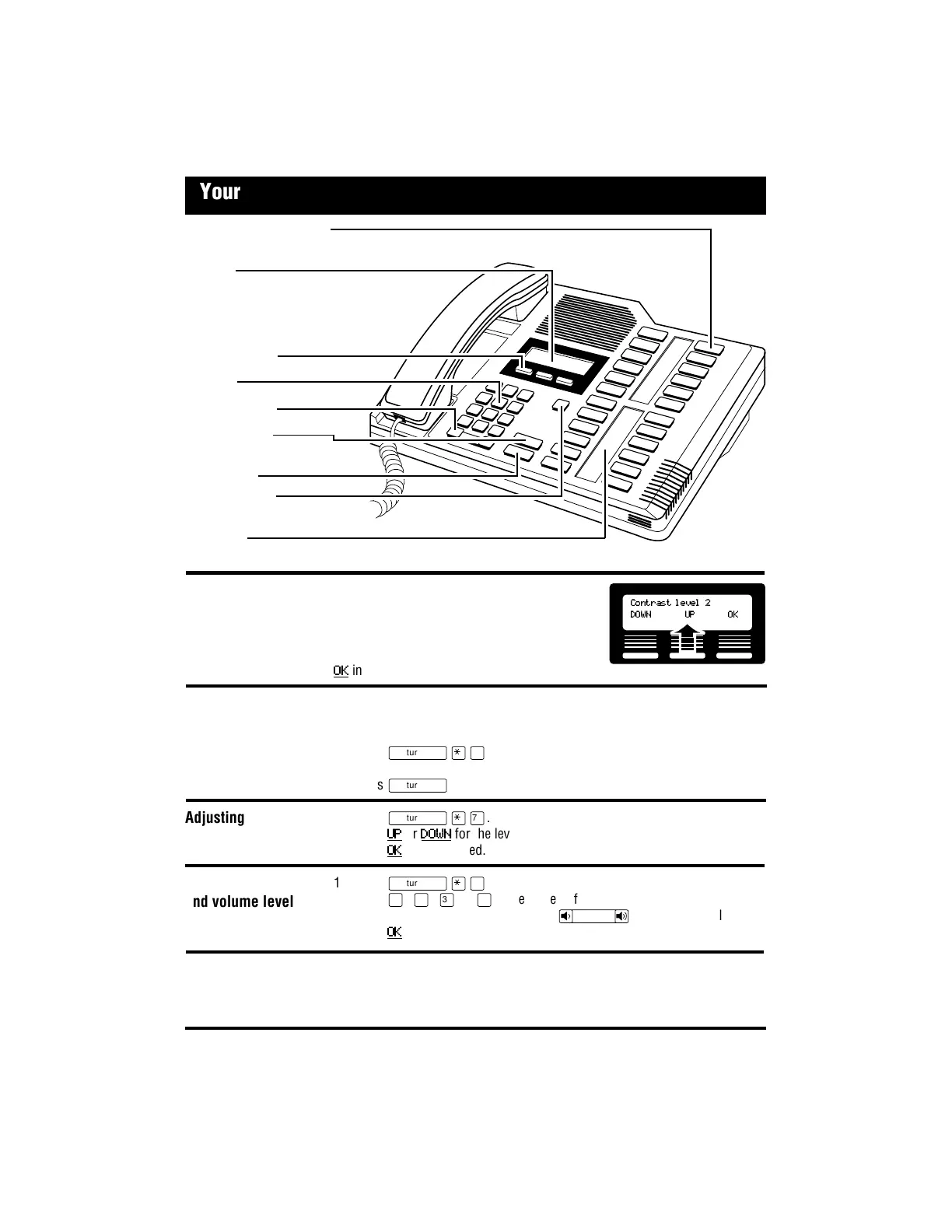
Memory and line buttons
are buttons with indicators for one touch dialing, feature operation or line access.
Display
shows the time, date, call information and guides
you while using Norstar* features. The lower line
of the display is reserved for display button
instructions.
Display buttons
Dial pad
Volume control
Feature button
starts or ends a feature.
Hold button
Release button
cancels active calls.
Indicators
appear beside active lines and features.
Display buttons change with each feature you
use. The labels for display buttons appear in
capital letters directly above them on the
second line of the display. A display button
with an “OK” label above it is represented as
OK
in this card.
Confirm that your memory and line buttons have the correct snap-on caps by
checking their programming.
1. Release all calls or open lines with dial tone.
2. Press
ƒ•‚
.
3. Press the button(s) you want to check and read the display.
4. Press
ƒ
when finished.
1. Press
ƒ•‡
.
2. Press
UP
or
DOWN
for the level you want.
3. Press
OK
when finished.
1. Press
ĥfl
.
2. Press
⁄
,
¤
,
‹
or
›
to hear the different types of rings.
3. While the telephone is ringing, press
√
to adjust the volume.
4. Press
OK
to store the ring.
Your Norstar M7324 telephone
Using display
buttons
Contrast level 2
DOWN UP OK
Selecting a ring type
and volume level
Adjusting display
contrast
Button inquiry
softer louder
* Meridian and Norstar are trademarks of Northern Telecom.
Important: All M7324 telephones Release 10 (REL 10) and higher comply with the Americans with Disabilities Act
(ADA). See the label on the bottom of the telephone for the Release marking.











 To Next Page