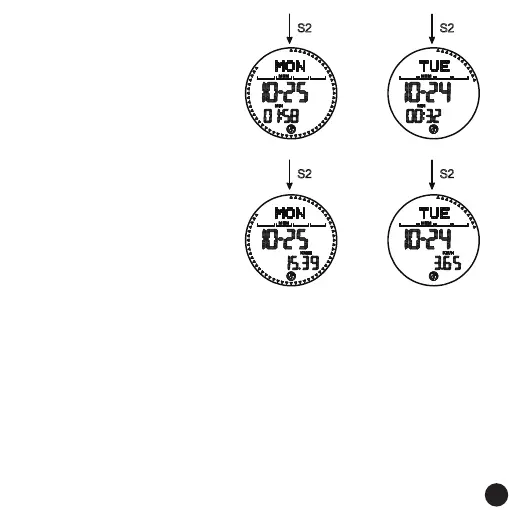
excercise time
excercise time
average speed
average speed
Remark:
1. The current screen displays yesterday's step data and the completion rate of the target
step percentage. It can store 31 days of data, sorted from yesterday to the previous 31
days. If the stored records are full, the earliest records will be automatically overwritten.
2. Press the S1 key to query the historical date, and press the S2 key to query the pedometer
data of the current date: steps: calorie kilometers/walking time and average speed per
hour.
3. Under the current screen, press and hold the S2 key for a second to clear all historical
pedometer data. Current units are displayed according to personal settings.
5. If there is no button operation, it will automatically return to the normal time display
screen after 60 seconds.
14
14



 To Next Page