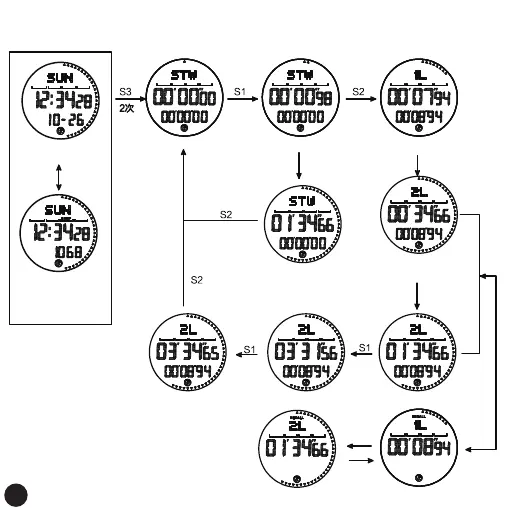
Stopwatch Mode
Stopwatch operation and viewing the running seconds group time
Increment
by S1
Decrement
by S2
continue to count
stopwatch mode
Timing begins
Take the first group display,
and continue timing
Take the second group
display and continue timing
And so on, up to 10 groups
timeout
Press S1 again to
continue timing
timeout
timeout
S1
S1
S2
S4
View the timing data of the
corresponding group number
normal time interface
Pedometer icon on
Press S1
On the step counting
interface of the day,
step counting
is turned on
15



 To Next Page