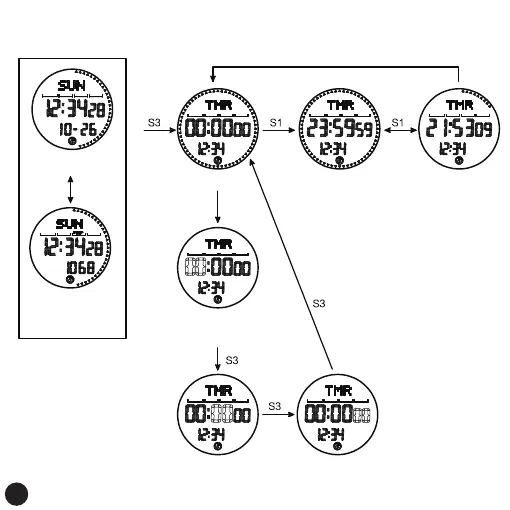
Countdown Mode
seconds setting, seconds flashing
long press or short press
S1 increases in value,
S2 decreases in value
minute setting, minute flashing
long press or short press
S1 increases in value,
S2 decreases in value
time setting, time flashing
long press or short press
S1 increases in value,
S2 decreases in value
countdown mode start countdown
pause countdown
S4
Long press
for 3 seconds
S2 data clear
normal time interface
Pedometer icon on
Press S1
On the step counting
interface of the day,
step counting
is turned on
17



 To Next Page