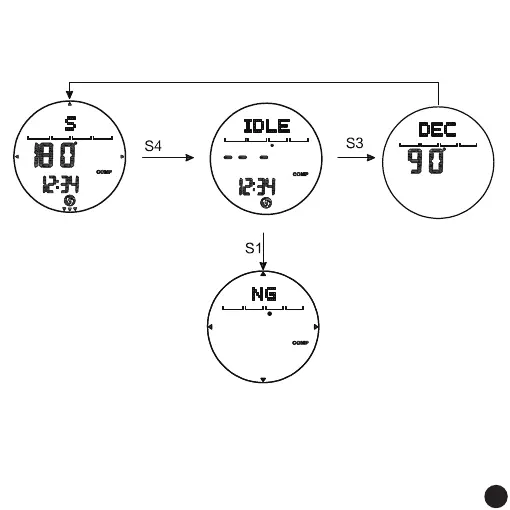
Compass Mode
Compass Calibration:
S3 confirms and exits
to compass interface
Magnetic Declination
Calibration Short press S1
to increase value,
S2 to decrease value
The test shows NG, press S1 to
check again The detection display
is OK, press S3 to enter the magnetic
declination calibration
two turns
automatic detection
compass interface
CAL Calibration
Long press
for 3 seconds
Remark:
1. Press and hold the S4 button for 3 seconds to start compass calibration (CAL), follow the direction point (outer
circle) and slowly rotate to stop,Or press the S3 key to confirm the calibration after two turns, and enter the
magnetic declination calibration.
2. Set the range of magnetic declination: -90°~90°, press the button to stop when it reaches the maximum or
minimum.
3. After the setting is completed, press the S3 key to return to the compass mode, and then press the S3 key to
enter the next mode.
4. Without key operation, it will automatically save and return to the normal time display screen after 60
seconds.
22



 To Next Page