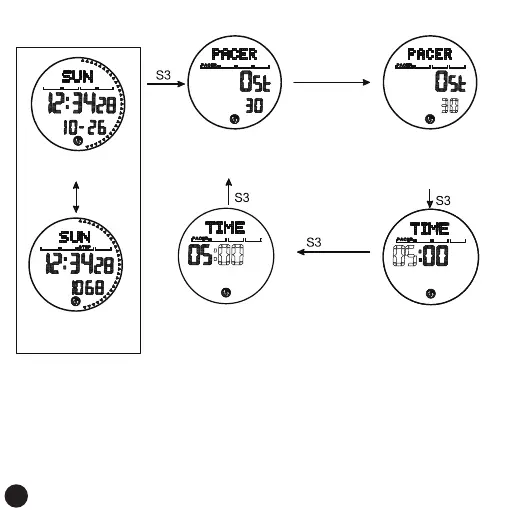
Metronome Mode
Metronome settings:
metronome mode
Metronome frequency setting
Minutes flashing, Long press
or short press the S1 key or
S2 key (press the S1 key to
increase the value, press the
S2 key to decrement)
Metronome time minute settingMetronome time seconds setting
Press S1 to start or stop the
metronome,When the
metronome is stopped,
press the S2 key to reset
normal time interface
Pedometer icon on
Press S1
On the step counting
interface of the day,
step counting
is turned on
Long press the S4 key, the frequency
number flashes, Long press or short press
the S1 key or S2 key (press the S1 key
to increase the value, press the
S2 key to decrement)
The second flashing, Long press
or short press the S1 key or
S2 key (press the S1 key to
increase the value, press the
S2 key to decrement)
Remark:
1. After the setting is completed, press the S3 button to enter the metronome mode screen, and then press the
S3 button to enter the next mode
2. The default initial time of the metronome is 5 minutes, and the maximum time that can be set is 60 minutes
3. The default initial frequency of the metronome is 30HZ, which can be set to 30HZ, 60HZ, 90HZ, 120HZ, 180HZ,
240HZ
4. The metronome function is only available in the metronome mode. Exit the metronome mode and reset to
zero directly. The maximum count of the metronome is 9999. Reaching the maximum value automatically
starts from zero
5. The metronome function consumes more power. When you do not need this function mode, you need to exit
immediately
6. No button operation, automatically save after 60 seconds and return to the normal time display screen
5 times
Long press
for 3 seconds
S4
21



 To Next Page