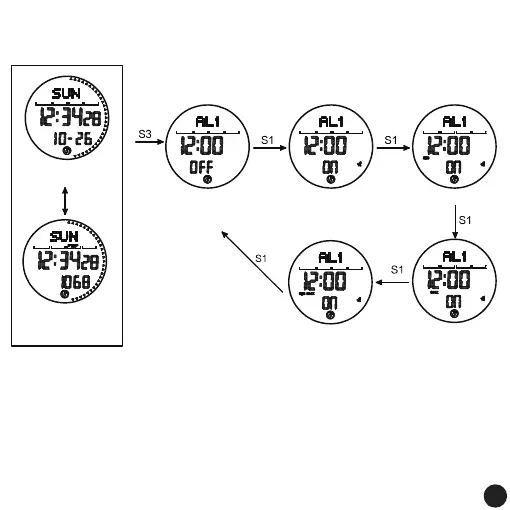
Timing alarm and hourly timekeeping on and off:
Alarm setting mode;
The default timed alarm
and hourly chime lighting
Snooze reminder switch
Timing alarm and
hourly timekeeping
Snooze reminder is turned
on at the same time
Timing alarm on
Hourly alarm on
snooze on
4 times
normal time interface
Pedometer icon on
Press S1
On the step counting
interface of the day,
step counting
is turned on
Remark:
1. After the setting is completed, press the S3 key to return to the alarm clock setting mode
screen, and then press the S3 key to enter the next mode.
2. When the preset alarm time is reached, it will sound "BI, BI" for 20 seconds, press any key
to stop the alarm.
3. In the mode of opening the time signal on the hour, there will be a "BI" sound on the hour:
4. No button operation, automatically save and return to normal time display screen after 60
seconds
20
20



 To Next Page