EasyManua.ls Logo

Northern IP4MVFB - Page 16

Northern IP4MVFB
35 pages
Print Icon
To Next Page IconTo Next Page
To Previous Page IconTo Previous Page
Loading...
Network Bullet Camera·Quick Start Guide
15
15
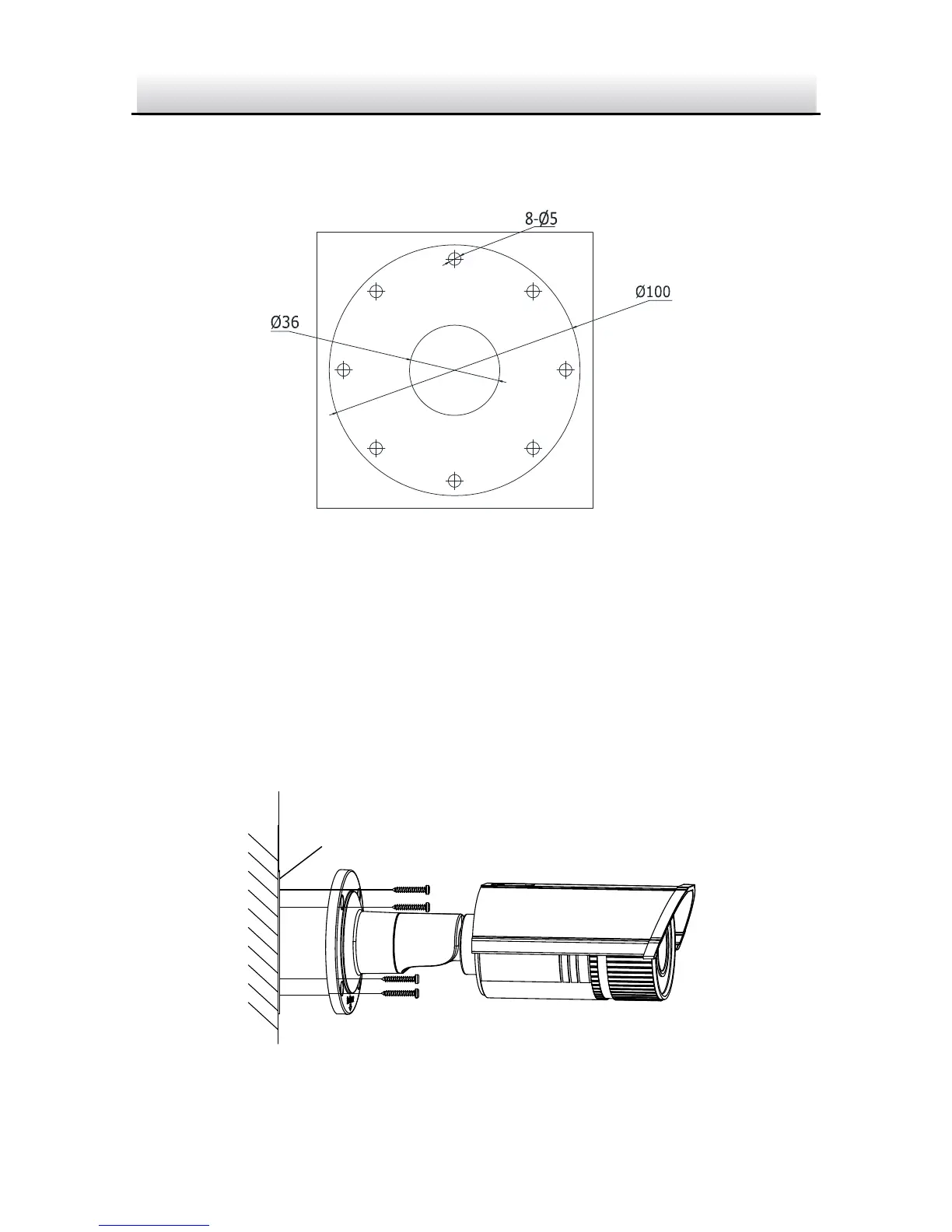
2. Drill screw holes in the wall or ceiling according to the number
one holes of the drill template.
Ceiling Mounting
1
1
1
1
2
2
2
2
1:Screw Hole for
Bracket
2:Screw Hole for
Mounting Base
Figure 2-5 Drilling Holes in the Wall
3. If you need to route cables through the wall or ceiling, cut a cable
hole according to the drill template. Skip this step, if you want to
route the cables on the surface of the wall or the ceiling.
4. Route the cables of the camera.
5. Secure the camera to the wall or ceiling with expansion screws.