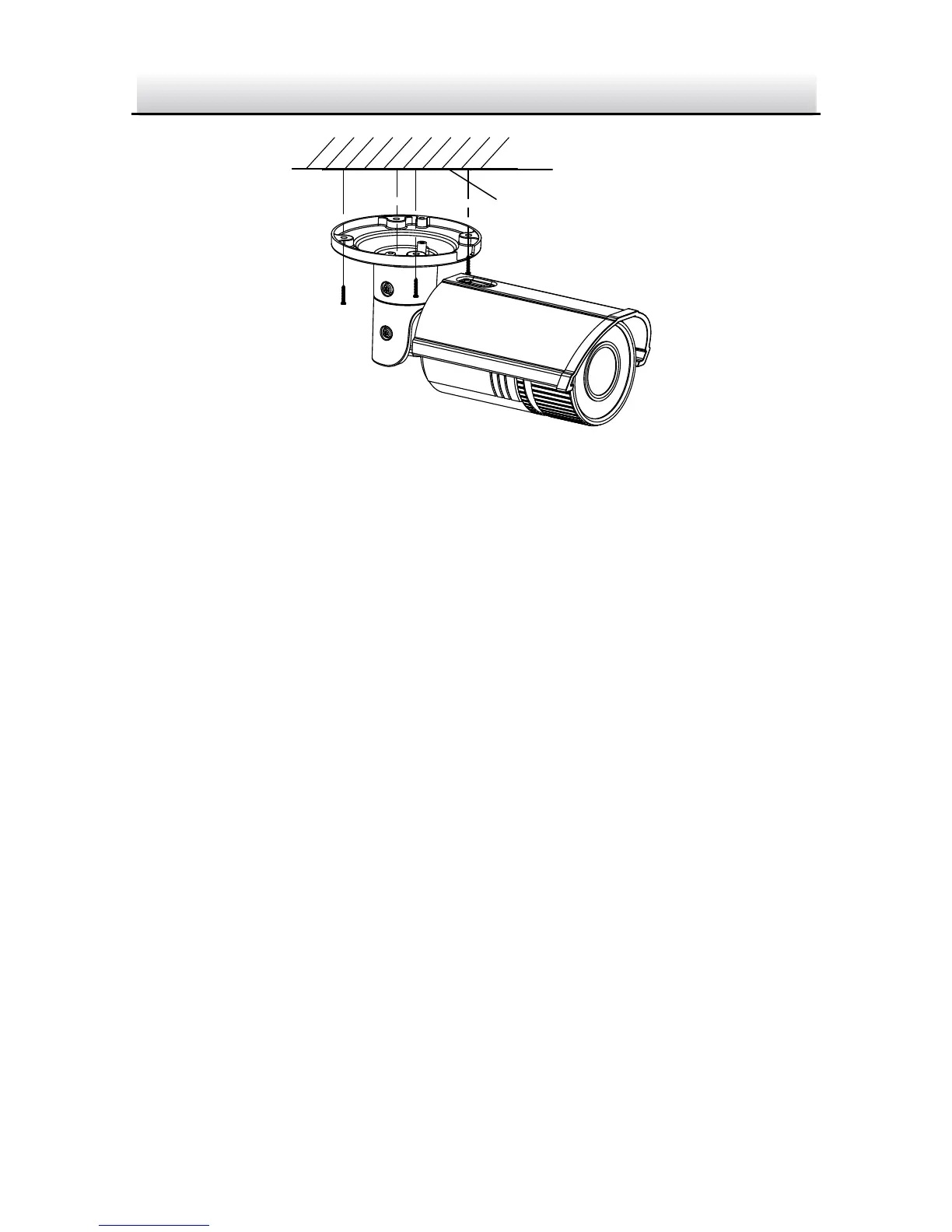
Figure 2-6 Secure the Camera
6. Adjust the view angle.
3-axis (pan/tilt/rotation) adjusting allows adjustment for optimum
camera rotation and placement. Follow the steps below to adjust
the view angle.
Pan Adjustment
Steps:
1. Loosen the lock screw 1.
2. Adjust the panning position of the camera. The adjusting range
is from 0 degrees to 360 degrees.
3. Tighten the lock screw 1.
Tilt Adjustment
Steps:
1. Loosen the lock screw 2.
2. Adjust the tilting position of the camera. The adjusting range is
from 0 degrees to 100 degrees.


 To Next Page