Northstar Explorer 657 Installation and Operation Manual26
5-2-1 Creating a new waypoint
Creating and editing a new waypoint from
the chart window
1 To create a waypoint at the boat position,
press
to switch the chart to center on
boat mode.
Or, to create a waypoint at a different point,
move the cursor to that point on the chart.
2 Press
.
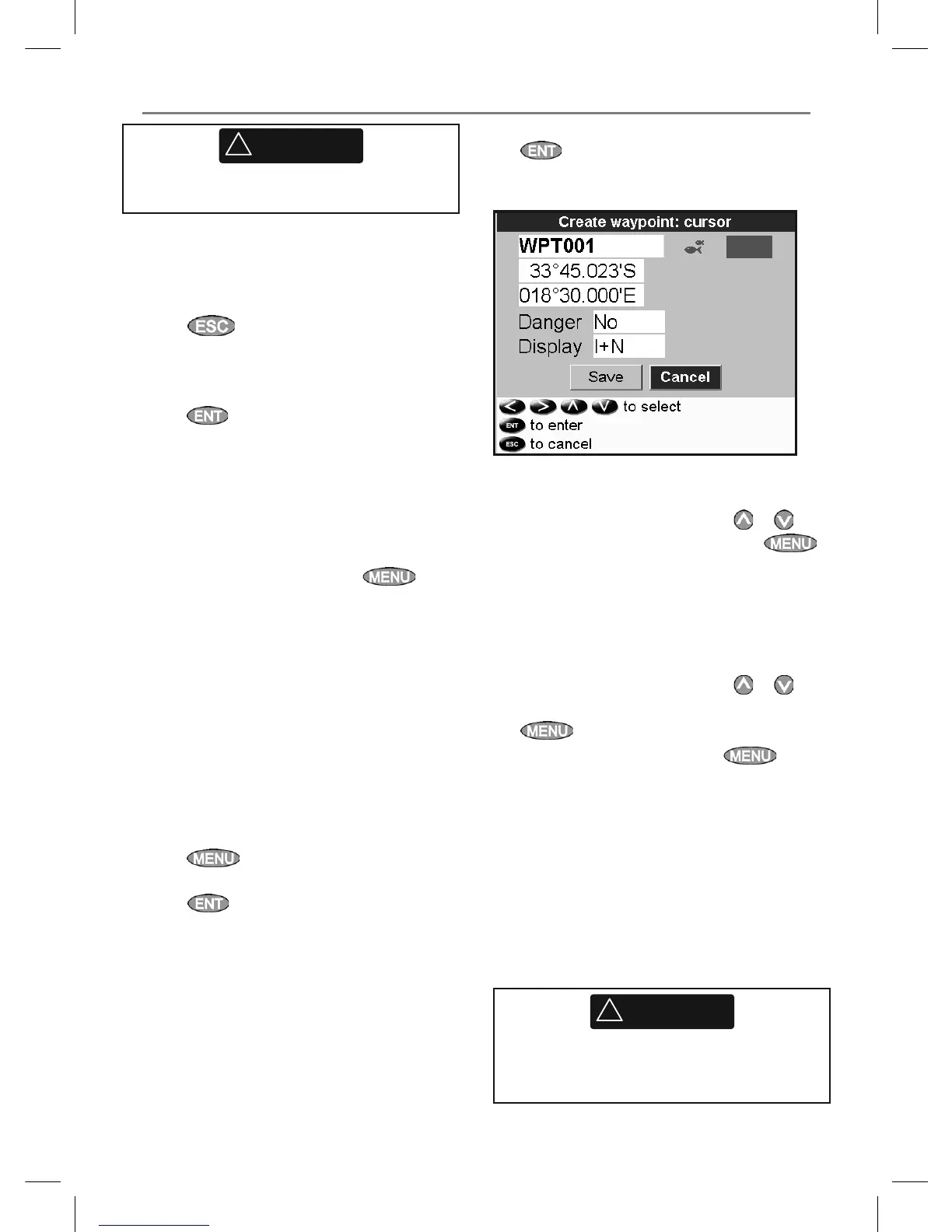
3 A new waypoint, with the default name and
data is created.
4 Change the waypoint data if necessary (see
section 5-2-7).
Creating a new waypoint from the waypoints
window
1 In the waypoints window, press
and
select Create.
2 A new waypoint, with a default name and
data, is created at the boat position.
3 Change the waypoint data if necessary (see
section 5-2-7).
Note: Waypoints can also be created when a
route is created (see section 6-2-1).
5-2-2 Moving a waypoint
Moving a waypoint from the chart window
1 In the chart window, move the cursor to the
waypoint to move.
2 Press
and select Move.
3 Move the cursor to the new position and
press
.
Moving a waypoint from the waypoints
window
To move a waypoint from the waypoints window,
edit the waypoint (see section 5-2-3) and change
the latitude and longitude.
5-2-3 Editing a waypoint
Editing a waypoint from the chart window
1 In the chart window, move the cursor to the
waypoint to edit.
2 When the waypoint data is displayed, press
.
3 Change the waypoint data
(see section 5-2-7).
Editing a waypoint from the waypoints
window
1 In the waypoints window, press
or to
highlight the waypoint to edit. Press
and select Edit.
2 Change the waypoint data (see section 5-2-7).
5-2-4 Displaying a waypoint on the chart
This goes to the chart window, and shows the
selected waypoint at the center of the window.
1 In the waypoints window, press
or
to highlight the waypoint to display. Press
and select Display.
Or, in the Chart window, press
, select
Find, then select Waypoints. Select a
waypoint from the list.
2 The 657 switches to the chart window, with
the selected waypoint at the center of the
chart.
5-2-5 Deleting a waypoint
A waypoint can not be deleted if the boat is
navigating to it or if the waypoint is used in more
than one route. A waypoint that is used in one
route can be deleted.
!
WARNING
When a waypoint is deleted from a route,
check that the changed route does not cross
land or dangerous waters.
5-2 Managing waypoints
!
WARNING
Do not create a navigation waypoint on land
or in dangerous water.



 To Next Page