-11-
MCTRL4K User‘s Manual
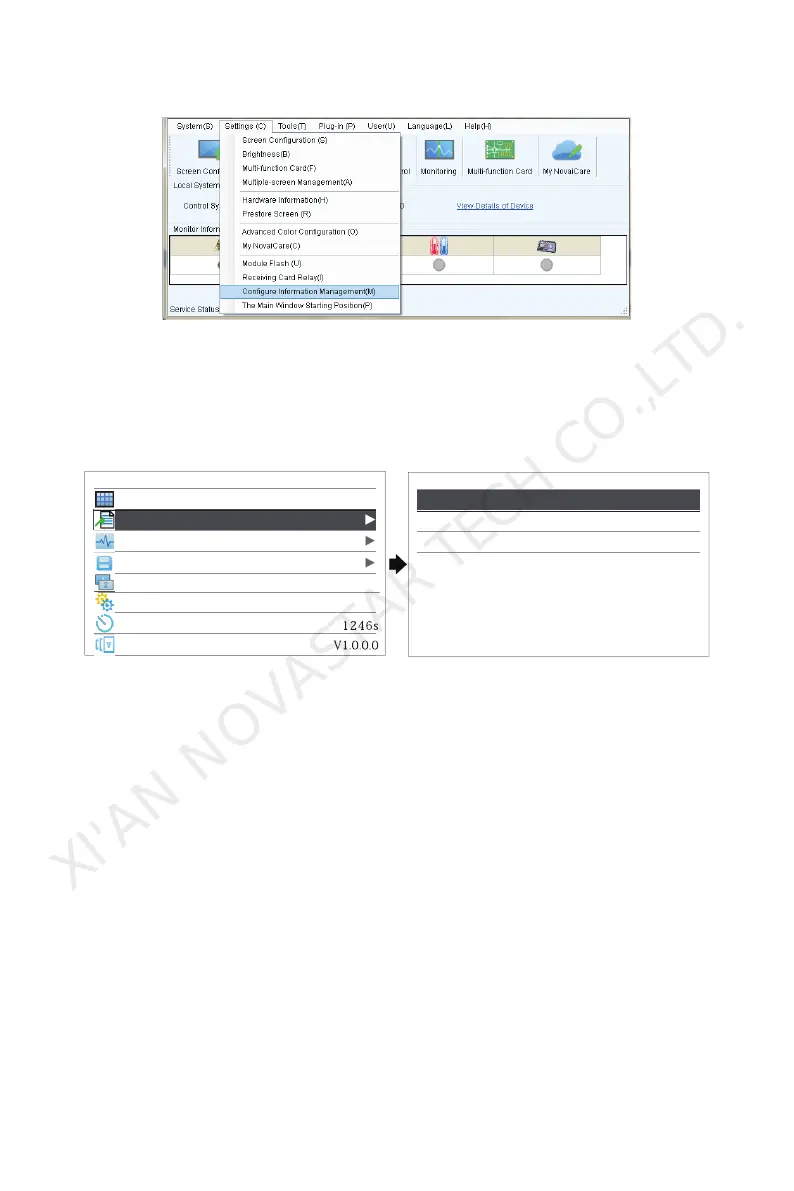
2 ) Import cabinet configuration files to MCTRL4K.
Tip: After entering the Settings page of MCTRL4K, NovaLCT-Mars will automatically read
the configuration files which have already existed in MCTRL4K. Users are able to modify
the names and orders of these files or delete them.
3 ) Load cabinet files
Advance Settings
MAP Function
Load Cabinet Files
Alarm Threshold
Save to Hardware
Redundancy
Primary
Factory Reset
Return to Home Screen
Hardware Version
Enable
Load Cabinet Files
Cabinet File 1
Cabinet File 2
Cabinet File 3
4 ) Save cabinet files to hardware
Alarm Threshold
Set maximum and minimum values of temperature and voltage。
Save to hardware
Save all the configurations related to receiving cards to receiving cards and the
data won't be lost during power failure.
Redundancy
Set this controller as primary controller or backup.
Factory Reset
Restore the unit to factory settings.
Return to Home Screen
If the system remains on current interface for the certain period of time without
XI'AN NOVASTAR TECH CO.,LTD.



 To Next Page