-1-
MCTRL4K User‘s Manual
1 Appearance
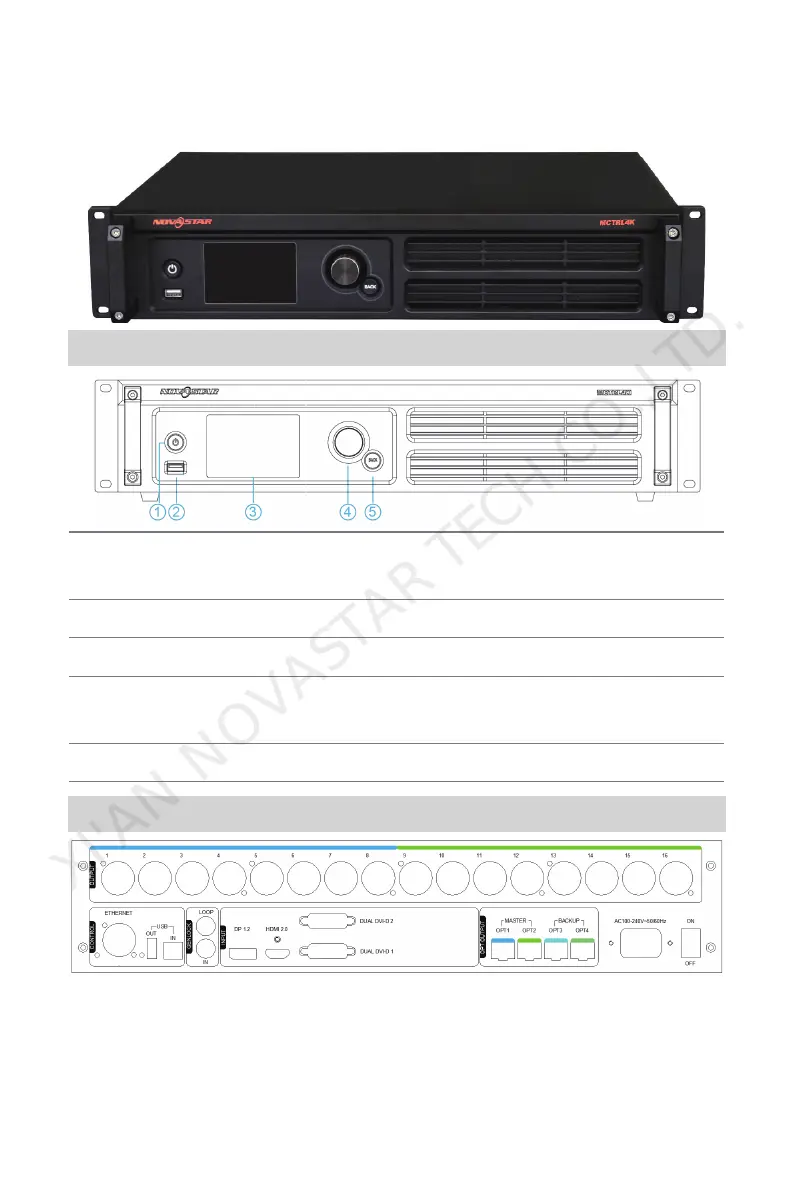
Front Panel
① : Power button; Press the button for startup. After startup, press and hold the
button for 4~5 seconds to power off.
② : USB interface for connecting USB drives only(unable to connect computers).
③ : Operation screen
④:Knob; Pressing the knob indicates Enter or OK, rotating the knob allows us to
select or adjust.
⑤:BACK; Back to the previous menu.
Rear Panel
XI'AN NOVASTAR TECH CO.,LTD.



 To Next Page