ML0021 August 15, 2018
114 Copyright 2018 Bitronics, LLC
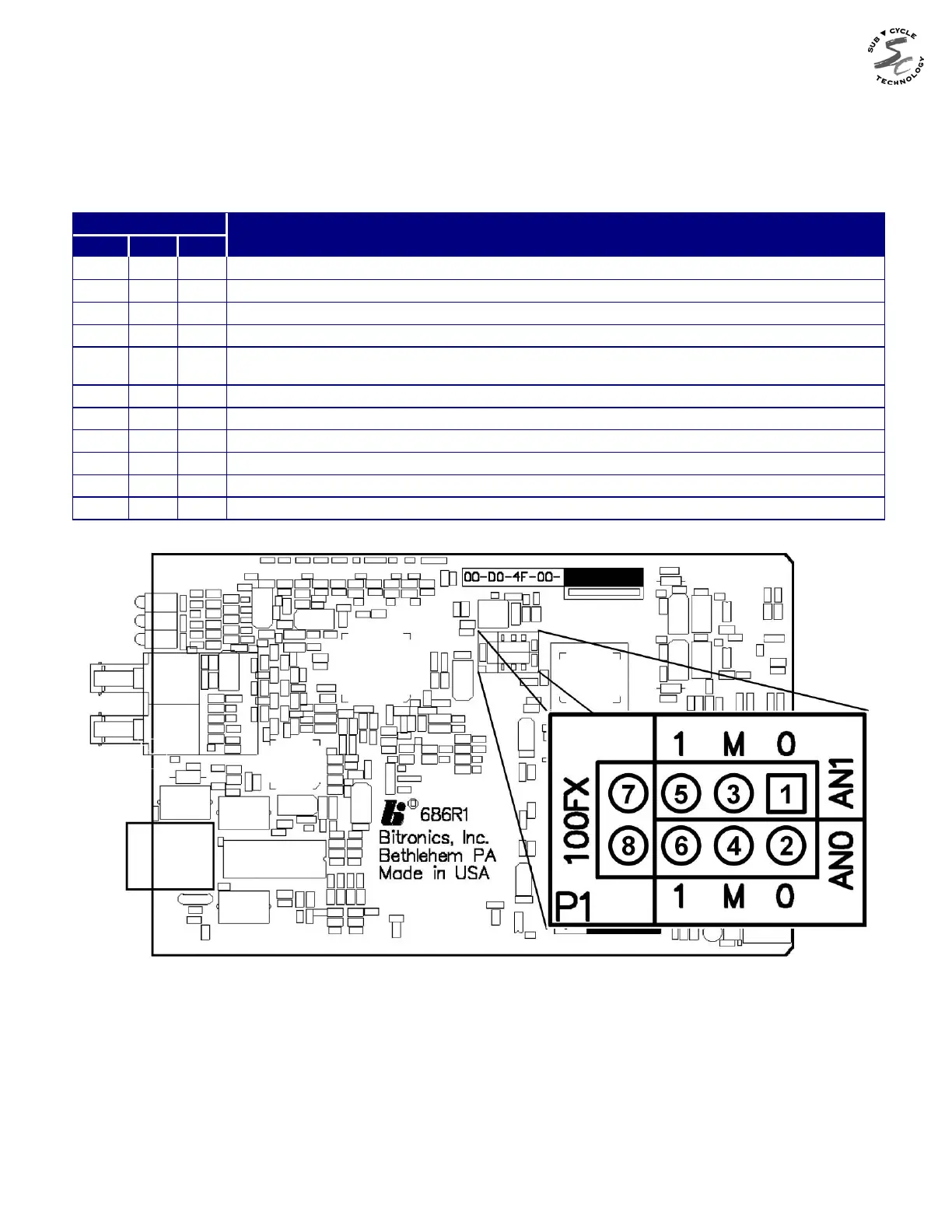
8.13.1 Jumper Settings (P1x)
The jumper block allows setting of the Ethernet card to emulate less capable equipment or
to force speed and/or duplex of the network interface. For most systems, the factory
default (no jumpers) will provide the best connection. Use of other modes should be done
only after careful consideration.
JUMPER MODE
100FX AN1 AN0
none 1-3 none Force 10BASE-T (or 10BASE-FL) half duplex
none 3-5 none Force 10BASE-T (or 10BASE-FL) full duplex
none none 2-4 Force 100BASE-TX (or 100BASE-FX) half duplex
none none 4-6 Force 100BASE-TX (or 100BASE-FX) full duplex
none none none
Auto-negotiate 10BASE-T half+full duplex, 100BASE-TX half+full duplex (FACTORY
DEFAULT)
none 1-3 2-4 Auto-negotiate 10BASE-T half+full duplex
none 1-3 4-6 Auto-negotiate 100BASE-TX half+full duplex
none 3-5 2-4 Auto-negotiate 10BASE-T half-duplex + 100BASE-TX half-duplex
none 3-5 4-6 Auto-negotiate 10BASE-T half
7-8 none 2-4 Force 100BASE-FX half duplex
7-8 none 4-6 Force 100BASE-FX full duplex
Figure 10 - Ethernet Board Jumper Locations (Rev 1 and Later Boards)


 To Next Page