ML0021 August 15, 2018
23 Copyright 2018 Bitronics, LLC
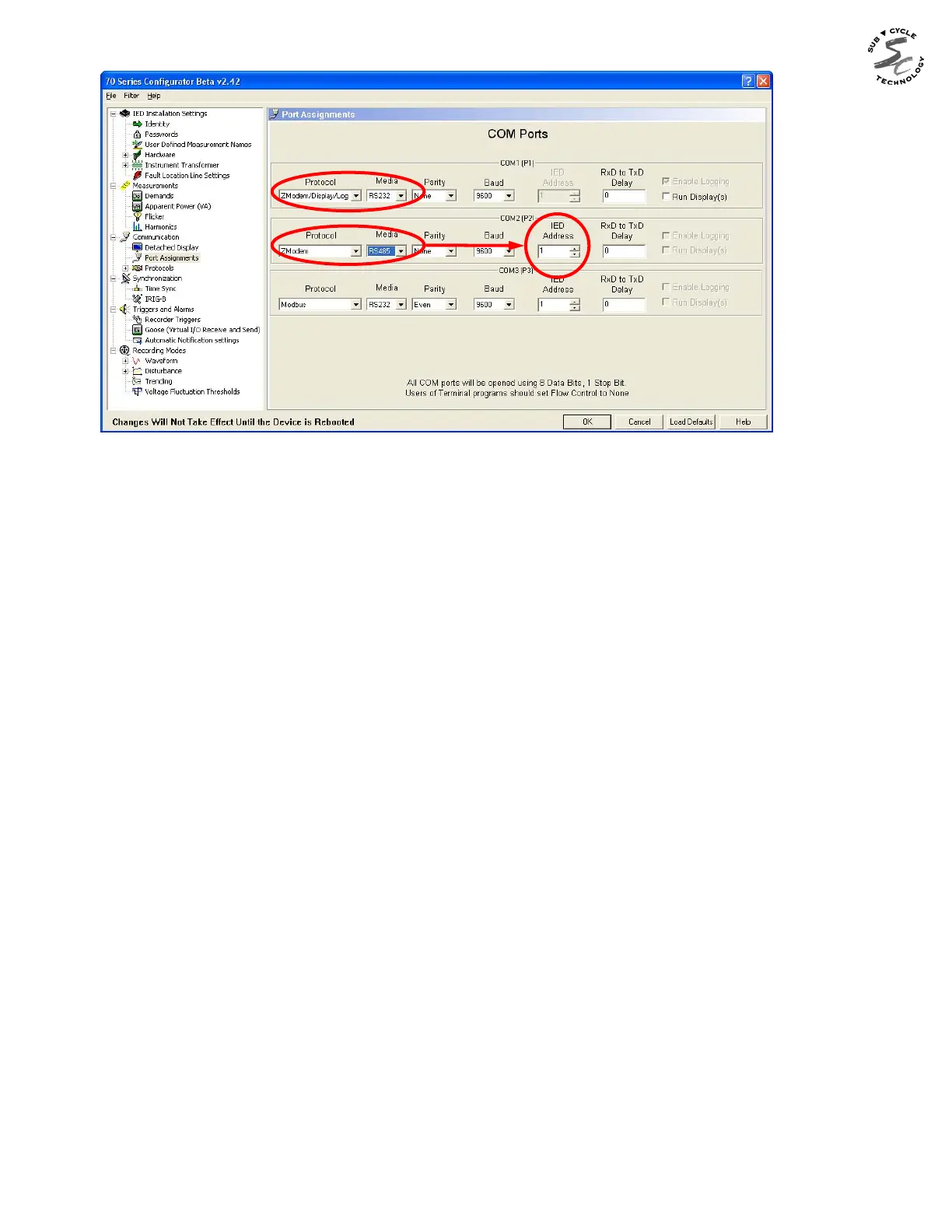
Type the command "connect 01" (use the actual address assigned) to establish
communications with the device in Zmodem protocol using RS485. This command will not
be echoed back as you type it. After striking the enter key, the device will return a
command prompt (for example c:\>, e:\data>, c:\config>, etc.) Once communications are
established, you can now use the command-line interface, exactly as you would with a
direct RS232 connection, to control the device (services supported by Zmodem protocol
include: download recording files, control digital outputs, reset demands, set time and date,
etc.). In order to disconnect from one device and connect to another on the same bus,
type the command "exit" to end the session then type “connect 02” (or whatever address
you want to connect to).


 To Next Page