—11—
A2
Visually inspect power cable for
damage and ensure power cable and
plug are correct for applied power
source. Power cables are labeled with
appropriate voltage and amperage.
www.flexco.com
Operation of the Aero
®
Press
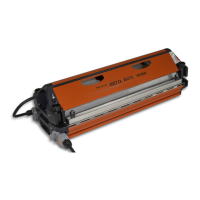
Remove press from transport case in 2 sections:
a. Remove top press beam:
i. Loosen all four press connector bolts and
rotate them down.
ii. Li top beam from press, using top or
end handles. Depending upon width
and weight of the press, you may require
assistance from another person.
iii. Safely store top beam on inside of top
cover. Foam inserts allow the beam to
be placed either platen side down (a) or
platen side up (b).
b. Remove bottom press beam from transport
case and locate at splicing location.
A3
A4
Insert prepared belt ends into the press:
a. Remove clamp bars.
b. Using care, lay clean silicone pad/cloth at
over clean bottom platen. Silicone pads are
used to prevent belt material from sticking to
press platens. You may decide to use dierent
release material, for a dierent appearance of
the splice (matte or glossy). If belt has a prole
on top or bottom, you may use proled silicone
pads in order to get same prole on the splice.
b.
iii a.
iii b.


 To Next Page
