—21—
Recipes
Aero® Recipes
e Aero is capable of storing recipes for future
use. Recipes are stored in ‘Groups’, which allow
you to organize your splice recipes.
• Group 0 Recipes: Up to 99 recipes can be
manually input into the press using the
selector knob. e next available recipe
number will automatically be assigned.
Group 0 recipes are editable on the press
only.
• Groups 1-10: Using the Aero Recipe
Management Tool, you can enter up to 99
recipes per group on a computer, save the
les on the USB ash drive, and load the
recipes into your press. Group 0 and Group
1-10 recipes can be downloaded from the
press onto a USB ash drive.
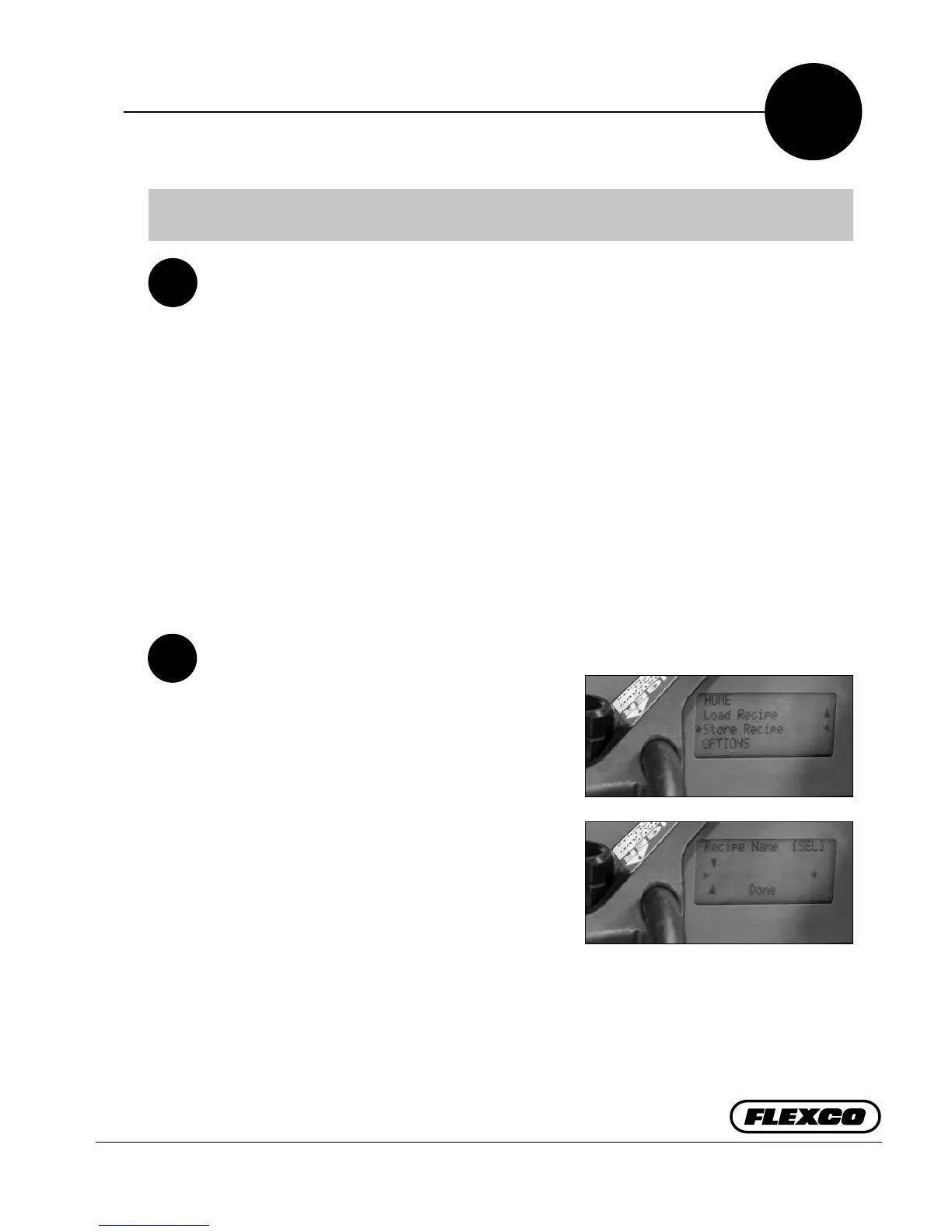
Saving Recipes at the Press
a. Scroll down display list with selector knob and
select “Store Recipe” by depressing selector
knob.
b. Enter a “Recipe Name” with a maximum of
15 alphanumeric characters. Depress selector
knob and select “SEL” becomes edit “EDIT”.
Rotate selector knob to letters/numbers
for naming. Depress selector knob to save
character. Rotate knob to the right to the next
eld to continue with naming of recipe. When
naming complete, scroll to right to move
arrows to bottom line of display. With arrows
pointing to “Done” depress selector knob.
c. “Save Custom Recipe” select “Cancel” or
“Conrm”. Select “Conrm” and recipe is
saved and recipe name appears with splice
settings.
C1
C2
C
Visit www.flexco.com for detailed instructions and Recipe Management Tool updates.
a.
b.


 To Next Page