– 50 –
4.3.7 Stop & Go function
This function temporarily interrupts the activity of the hob and
allows a restart with the same settings.
Turning Stop & Go on and off:
Switching on
Display
Press
II
for 2 seconds until it blinks.
I I
Switching off
0‐9
Press
II
for 2 seconds.
Select a cooking zone with the zone selection
key
4.3.8 Recall function
After turning the hob off , it is possible
to recall the last selected settings: (this up to a maximum of 10
seconds)
– S
tate of all cooking zones (power)
– Minut
es and seconds of the programmed cooking zones by
the timers
– “
Automatic cooking” function
– K
eep warm function
The recall procedure is as follows:
– P
ush the control key
for 2 seconds.
– P
ush
II
before the flashing stops.
The previous settings are now active again.
4.3.9 Keep warm function
This function makes it possible to automatically reach and
maintain a temperature of 42°C, 70°C or 94°C.
This prevents pans overowing or your food sticking to the
bottom of the pans.
Switching the keep warm function on and off:
Keep warm 42°
Display
Press
once
U
Keep warm 70°
U
Press twice
Keep warm 94°
U
Press 3 times
Switching the keep warm function off
0
Glide your nger over the slider
0
to
9
or press until
0
The maximum duration of the keep warm function is 2 hours.
4.3.10 Flexzone
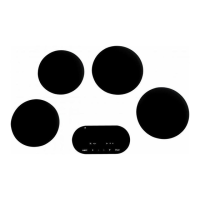
This function allows you to join the 2 left and 2 right zones
so they operate as 2 large ex zones. This function can be
activated manually.
Flexzone:
Manual activation
Display
Simultaneously press the 2 zone selection
keys of the 2 ex zones A1, A2 or B1, B2 to be
shared.
0
u
Increase the power
0‐9
Slide your nger over the left slider until you
reach the desired power level, both ex zones
display the chosen power.
Switch Flexzone function off
0
Simultaneously press the 2 zone selection keys
of the 2 combined zones.
4.3.11 Grill function
This special cooking function optimises heating and warming
in a cast iron pot/grill plate. This will ensure improved results of
the food you are cooking. Flex zones A1 and A2 or B1 and B2
must rst be connected with the exzone function.
Grill function:
Activate
Display
Select the lower cooking zone A1 or B1 using
the zone selection key. Press
u
Increase the power
Glide your nger over the left slider until you
reach the desired power; both zones display
the chosen power.
Switch grill off
0
Select a cooking zone using the zone selection
key. Press
4.3.12 Locking the controller
To avoid a hob selection being changed, during cleaning for
example, the controller must be locked (except the on/off
button).
This function can only be activated 10 seconds after switching
the hob on.
Locking:
Lock
Display
Press the
for 2 seconds.
The symbol now lights up brightly.
Unlock
Press the for 2 seconds.
The symbol now lights up normally.


 To Next Page